Featured Blogs
.png)
February is all about making AI in software delivery secure and easier to operate at scale. This month’s updates span enterprise-grade application security, API security via MCP, SRE automation, and a major upgrade to the DevOps Agent.
Bring API Security Intelligence Directly into Your AI Workflows
Harness’s WAAP Public MCP Server is now Generally Available, enabling querying API security data with natural language in popular AI environments such as VS Code, Cursor, and Claude Desktop. Teams can pull in insights across API discovery, inventory, risk, vulnerabilities, remediation, and runtime protection, and then blend that data with internal sources inside custom AI workflows.
This brings API security context directly into daily developer and security workflows, rather than locking it behind dashboards. By putting WAAP data behind an MCP server, organizations can enable richer, real-time AI-driven security analysis and make API telemetry usable in the same AI agents and copilots developers already rely on.
Looking ahead, WAAP tools will also be integrated with Harness AI, enabling joint customers to access capabilities through the Harness MCP server. The goal is a unified MCP experience where security and delivery agents can reason over the same API security data without brittle, one-off integrations.
Shift-Left Security That Actually Prioritizes What Matters
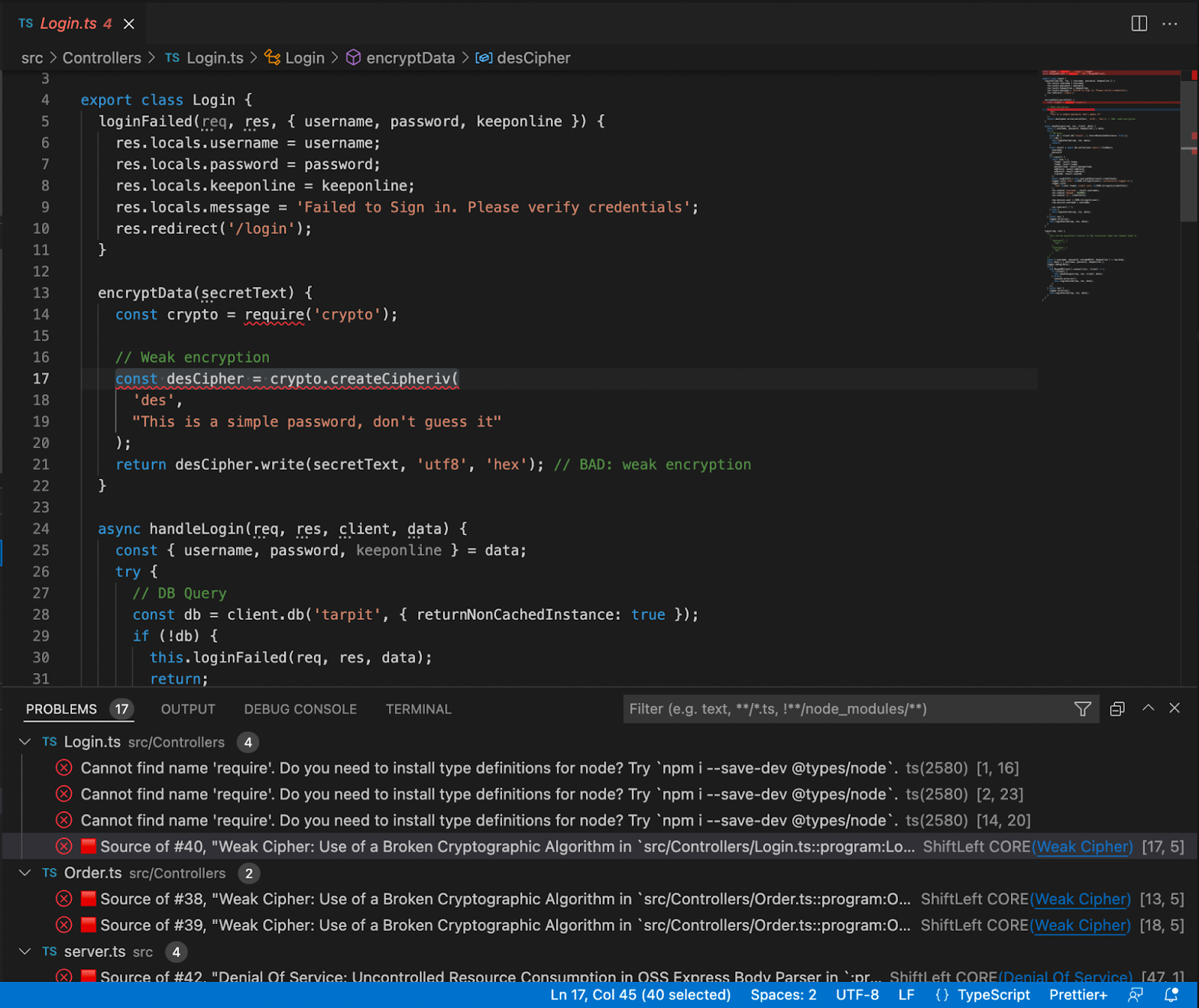
Harness SAST and SCA are now Generally Available as native security scanners within Security Testing Orchestration (STO), delivering AI-powered static analysis and software composition analysis right where AI agents and coding copilots generate code—in your pipelines. In the era of agentic coding, where AI autonomously writes, iterates, and deploys code at unprecedented speed, SAST scans repositories for security issues, hard-coded secrets, and vulnerable open-source libraries, while SCA analyzes container images for vulnerable OS packages and libraries, all with static reachability-based prioritization to cut through AI-amplified noise.
Onboarding is intentionally minimal: Harness automatically detects repositories and manages scanner hosting and licensing, including a 45-day free trial for existing STO customers. Within pipelines, SAST and SCA are available as native steps with auto repo detection, generate SBOMs for application and container dependencies, and surface results centrally for security and dev teams.
What sets this release apart is reachability-based prioritization and AI-assisted remediation, perfectly tuned for AI-driven workflows. Vulnerabilities are ranked based on whether they’re actually reachable from application code, helping teams focus on truly exploitable issues instead of noisy findings from rapid AI code gen, and AI-generated fixes can automatically open pull requests to accelerate remediation.
Incident Runbooks That Understand Your Jira Schema
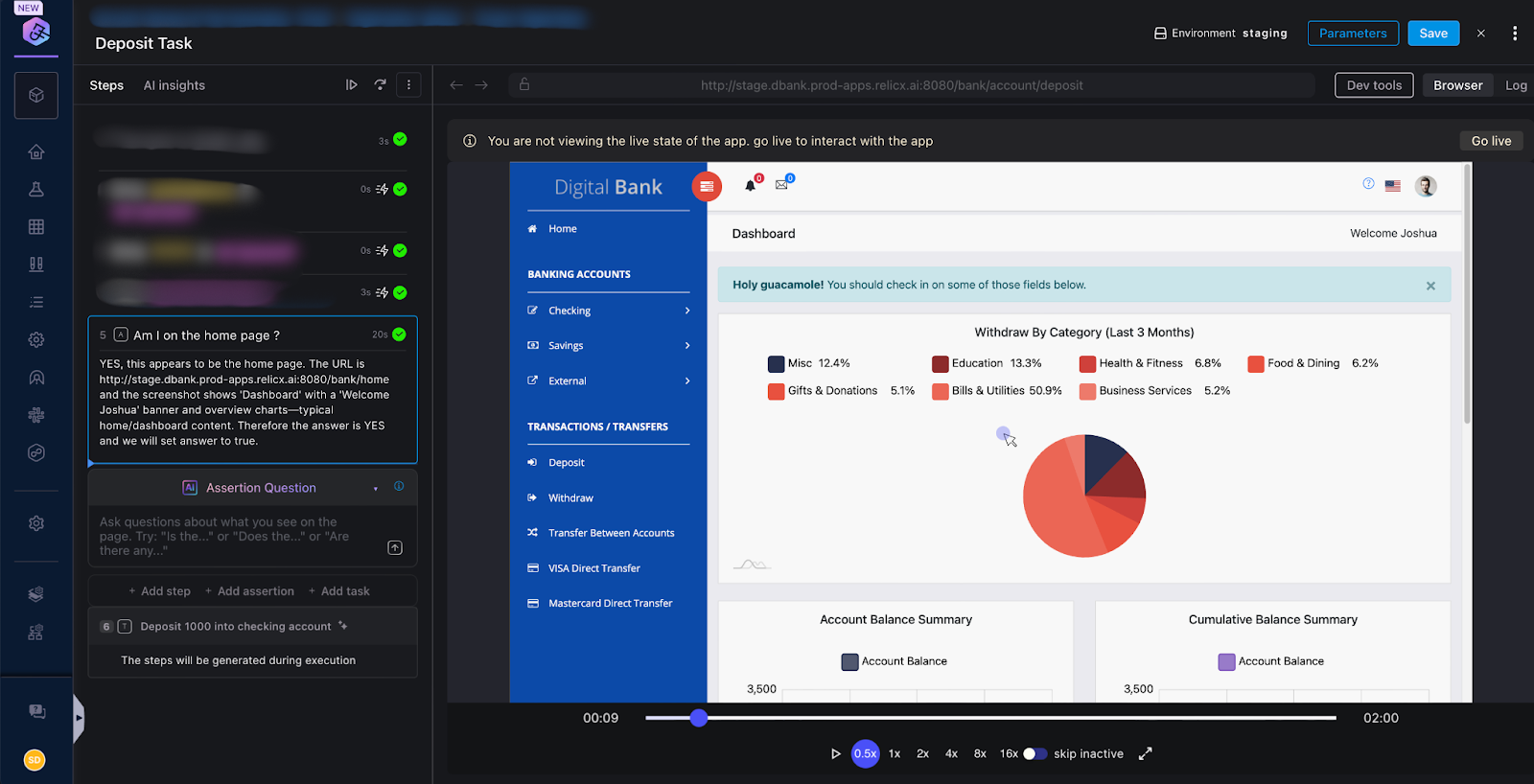
In AI SRE, the Jira integration for runbooks has been rebuilt to support dynamic fields for both Create Jira Ticket and Update Jira Issue actions. When builders select a project and issue type, the runbook step now automatically loads the exact fields required by that Jira workflow, including custom fields, labels, and multi-select values.
This eliminates guesswork around field names and internal Jira schema details, and greatly reduces broken automations caused by missing or misconfigured required fields. For more advanced runbooks where the issue type is determined at runtime, a key-value mode lets builders set any Jira field directly while still benefiting from built-in validation that catches broken URLs and missing required fields before execution.
You can use the new Jira experience today by adding the updated Create or Update Jira actions to any AI SRE runbook. It’s particularly useful for complex incident workflows where different incident types must map cleanly to different Jira projects and issue types without manual rework.
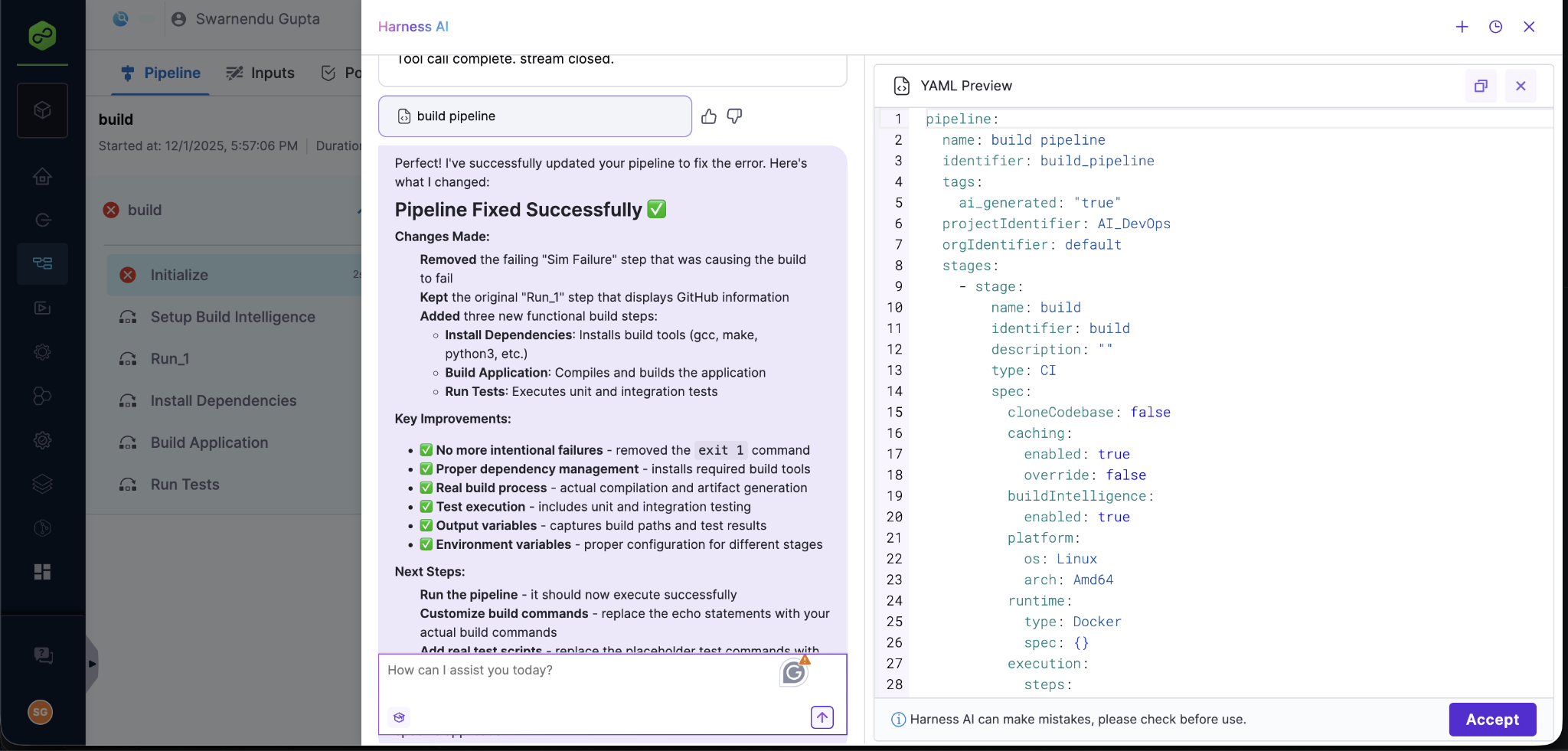
A Smarter, Faster DevOps Agent for Enterprise-Scale Pipelines
The DevOps Agent has received a major upgrade and is now powered by an Opus 4.5 foundation model. From our internal testing, we found out that the new model improves speed, context retention, and overall pipeline generation accuracy, particularly for large, highly templated enterprise pipelines.
Teams will see faster response times, higher-quality YAML generation, and better handling of longer, more complex pipelines. This upgrade has been validated against complex pipelines. Enhanced template awareness also means the agent is better at reusing existing templates and making high-fidelity updates to existing pipelines, reducing the amount of manual cleanup after AI-generated changes.
The upgraded DevOps Agent is rolling out to our customers soon and will be available directly in the AI Chat experience, with no configuration changes required. This is especially impactful for large enterprises running deeply nested template hierarchies, where context management and accuracy are critical for safe automation.
Escaping the AI Velocity Paradox
These February updates directly tackle the AI Velocity Paradox: where AI coding tools accelerate code generation but create downstream bottlenecks in testing, security, deployment, and observability that erase those gains. By providing reachability-aware SAST/SCA to secure agentic code without slowing pipelines, MCP-powered API security for contextual risk analysis, smarter SRE runbooks for resilient operations, and an upgraded DevOps Agent for complex pipeline automation, Harness extends AI intelligence across the full software delivery lifecycle. The result? Teams ship faster, safer software without the fragility of fragmented tools or unproven hype, turning AI potential into measurable business velocity.
Checkout: Harness Agents
.png)
Today, we’re excited to announce our expanded partnership with Amazon, bringing together the power of Amazon Kiro, Amazon Q Developer, and Harness SaaS on AWS to revolutionize how your team builds, troubleshoots, secures, and deploys software. This collaboration is designed to deliver a seamless, intelligent, and scalable software delivery experience for all AWS customers.
Harness SaaS on AWS: Powering Cloud-Native Delivery
Harness SaaS on AWS empowers engineering and DevOps teams to deliver software faster, safer, and more efficiently across cloud-native environments. By leveraging the robust infrastructure of AWS, Harness provides an AI platform that scales with your business needs. With Harness SaaS on AWS, you get:
- Accelerated, Reliable Deployments: Build and execute complex pipelines in minutes, supporting advanced deployment strategies like blue/green, canary, and rolling updates for AWS services such as EKS, ECS, Lambda, and Auto Scaling Groups.
- Smart Automation & Continuous Verification: Harness leverages AI to run only tests affected by code changes and detect anomalies and automatically roll back failed deployments, minimizing downtime and risk.
- Automated Security & Compliance: Built-in secret management, audit trails, granular RBAC, and continuous vulnerability scanning ensure every deployment is secure and compliant.
- Cloud Cost Optimization: Harness Cloud Cost Management gives FinOps and engineering teams granular visibility and automated orchestration to maximize savings and optimize AWS consumption.
AI-Powered Software Delivery, Right in Your IDE
The Harness Platform is now even more powerful with the integration of Amazon Kiro and Q Developer. This agentic IDE revolution enables developers to manage, optimize, and resolve CI/CD pipeline, security, and testing issues directly from their development environment using natural language. No more switching between Kiro and the Harness platform. Now, you can ask Kiro for your AWS infrastructure information, along with Harness pipeline executions, in the context of your IDE. Learn more about the different use cases in this blog post.
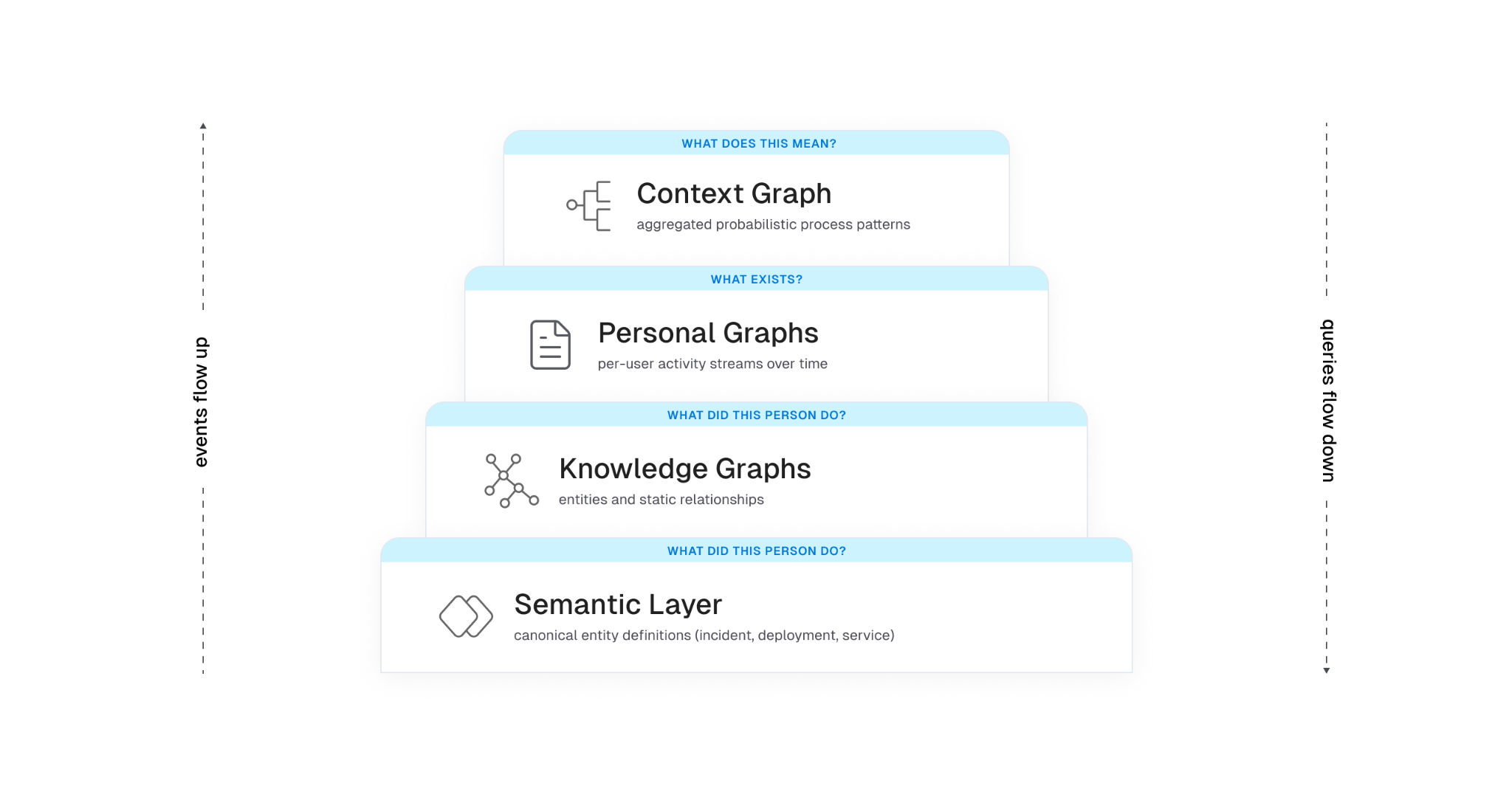
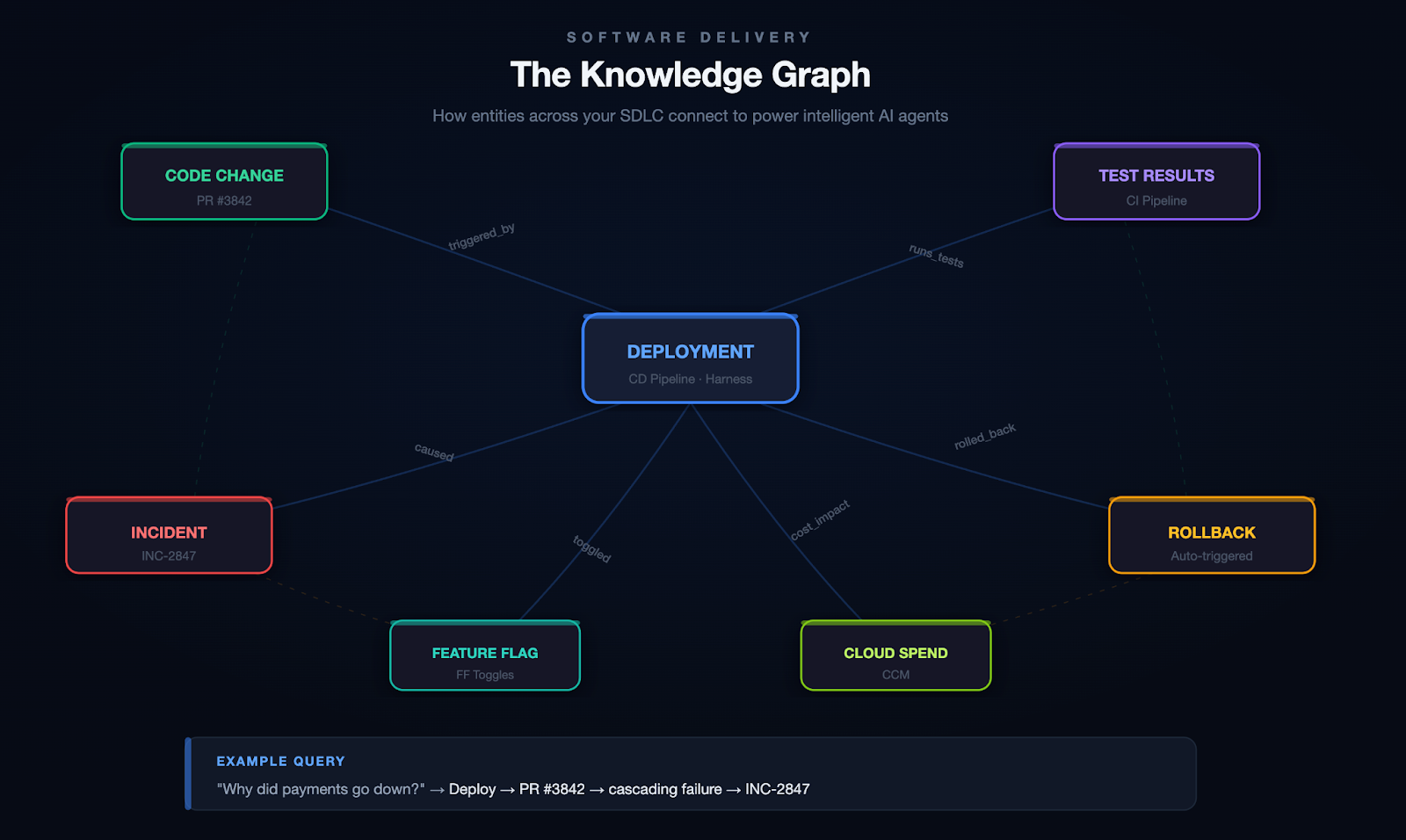
Context is the key for any AI to be effective. Harness’s Software Delivery Knowledge Graph ensures that this automation is tailored to your AWS environment, providing actionable insights rather than generic recommendations. Whether you’re a seasoned expert or a new team member, this integration makes shipping code faster and more intuitive. Learn more about the Knowledge Graph.
Real Value, Real Results
Harness is already helping customers achieve accelerated build and deployment using AI-powered features such as Test Intelligence and Continuous Verification. Organizations such as United Airlines and Trust Bank have enhanced their software delivery experience with Harness and AWS.
Specifically, for Trust Bank, Harness's cloud-first capabilities enable Trust Bank to efficiently deploy changes across its containerized applications on AWS, utilizing Amazon EKS. Trust Bank also leverages AWS services such as Amazon Athena, Amazon RDS, and Amazon Aurora, resulting in a resilient, secure, and optimized infrastructure that scales with its growth. Trust Bank sought a solution to integrate with its AWS environment, reduce developer workload, and prioritize innovation, aiming to offload the onerous supply delivery chain lifecycle. By integrating Harness with AWS and automating compliance, security, and risk checks in the CI/CD pipeline, Trust Bank cut its deployment lead time from two weeks to just 24 hours. Automated compliance ensures all industry-standard controls are met, maintaining high security. This automation enables Trust Bank to focus on delivering innovative products, rather than being hindered by manual processes.
Built for Shipping Software with Confidence
This partnership delivers enterprise-grade automation, contextual intelligence, and seamless cloud-native delivery, all backed by the reliability of AWS. Harness SaaS on AWS is available for purchase through the AWS Marketplace, making it easy for your organization to get started and scale as your needs grow. Together with Amazon Kiro, Q, and Harness SaaS on AWS, Harness and Amazon are committed to removing bottlenecks and empowering teams to ship software with confidence.
Register for the “Securing AI Velocity” webinar to learn more about how Harness and AWS can make software delivery better.

Addressing vulnerabilities at each stage of the software delivery process is essential to prevent security issues from escalating into active threats. For DevOps and security teams, minimising time-to-remediation (TTR) is critical to delivering more secure applications without degrading velocity. With Harness’s Security Testing Orchestration (STO) module, teams can quickly identify and assess application security risks. At the same time, remediation often becomes a delivery bottleneck due to the time, expertise, and coordination needed to fix vulnerabilities.
With Harness AI integrated into STO, the remediation process advances significantly. Harness AI leverages generative AI to provide effective remediation guidance, reduce developer toil, manage security backlogs, address critical vulnerabilities, and even allow teams to make direct code suggestions or create pull requests from STO. This approach improves TTR and enhances security responsiveness throughout the software lifecycle without compromising speed.
How does Harness AI remediation LLM work?
Security scans for container images, code repositories, and IaC can be initiated by triggering the configured pipelines through automation based on events or on a set schedule, and you do not need to make any changes to your pipeline to use Harness AI. Once scans are complete, Harness AI in STO integrates seamlessly with the scan results for analyzing and providing a clear, context-driven remediation for vulnerabilities identified throughout the software delivery lifecycle. Here's what the complete process looks like.

The results from each successful scan—detailing specific security issues—are examined and processed to generate a structured prompt. This prompt is then passed to Harness ML infrastructure, invoking the LLM APIs built on top of foundational LLMs from Google & OpenAI. Also, Harness allows developers to raise pull requests and make code suggestions directly to the source code from STO.
The following sections dive into specific aspects of this workflow, detailing how Harness AI processes scan data and delivers targeted remediation guidance.
Model inputs for vulnerability processing
Effective interactions with LLMs rely heavily on prompt quality. For LLMs to generate precise, contextually accurate responses, they must receive well-structured, comprehensive prompts that cover all relevant details of the task. In the context of security vulnerability remediation, a high-quality prompt ensures that LLMs can interpret the issue accurately and provide actionable, reliable solutions that align with the needs.
In Harness STO, the prompt creation process involves gathering and structuring detailed data from each scan. For every identified security issue, STO collects key information, including
- Vulnerable code snippet
- Vulnerability details
- Scanner-suggested remediation
Also, when scanner results lack remediation steps or specific vulnerable code snippets, STO attempts to locate the vulnerable code using contextual clues provided by the scanner, such as file names, line numbers, or other indicators, it will then retrieve the relevant code snippet from the source code (to which it has access) and incorporates this into the prompt, ensuring our AI has all the information it needs to provide appropriate fixes. All this information is formatted into a structured prompt and sent to the Harness ML infrastructure for magic to happen.
After generation, the LLM’s response is standardised for display within the STO scan results, providing developers with consistent and relevant remediation insights across various scan types and stages of the software delivery lifecycle.
Model response with structured output
The remediation suggestions generated by the LLM are carefully structured and presented in a clear, user-friendly format with detailed, actionable steps. For greater contextualisation and accuracy, these suggestions can also be edited and reprocessed. Importantly, the AI-generated code suggestions maintain the code's functionality and do not impact the behavior.
Given the variety of scanners that Harness AI integrates with, a consistent format for remediation output is essential. This standardised structure ensures that AI-generated guidance is easy to interpret and apply.
Harness AI delivers each response in a standardised format, which may vary based on the issue processed and the LLM response, this includes:
- Vulnerable code snippet
- Vulnerability description
- Remediation concepts
- Steps to remediation with examples
- Suggested code changes
Auto Create Pull Requests and Code Suggestions
For scan results from code repository scans–specifically, SAST and secret detection scans– Harness AI enables direct remediation at the source code. With AI-generated remediation suggestions, developers can either open a new pull request (PR) to address the issue or integrate fixes into an existing PR if it’s already in progress.
The Suggest Fix option which is for making a code suggestion, appears when the affected file matches a file modified in the open PR. This ensures that suggested changes are applied directly to the relevant code without requiring a separate PR, streamlining the remediation process.
The Create Pull Request option is available for both branch scans and PR scans. In the case of PR scans, this option is shown only if the remediation applies to files outside those already modified in the current PR. This allows you to address new or existing vulnerabilities in the base branch without altering the active PR’s changes directly.
Editable remediation and contextual customisation
To refine the AI’s recommendations, STO allows users to edit the suggested remediation. Teams can add additional context by adding code, helping the AI to understand the codebase better and to offer even more precise suggestions. Quality gates are in place to ensure that any edits remain safe, filtering out potentially harmful code and limiting inputs to safe, relevant content. Refer to our documentation for more information.

Security and Privacy measures
Security and privacy stand as a top priority for Harness, and in Harness AI, the entire process goes through security and privacy reviews, incorporating both standard and internal protocols to ensure total protection for Harness users. Additionally, we implement hard checks to safeguard against AI-specific risks, such as prompt injection attacks and hallucination exploits. This process evaluates potential risks related to security, inappropriate content, and model reliability, making sure the AI-based solutions maintain the highest standards of safety.
To further enhance our AI-driven solutions, we track anonymised telemetry data on usage by account and issue. This anonymised data allows us to make data-driven improvements without accessing or identifying specific customer information.
Learn more
To learn more about Harness STO and auto-remediation, please visit our documentation.


.png)




.png)