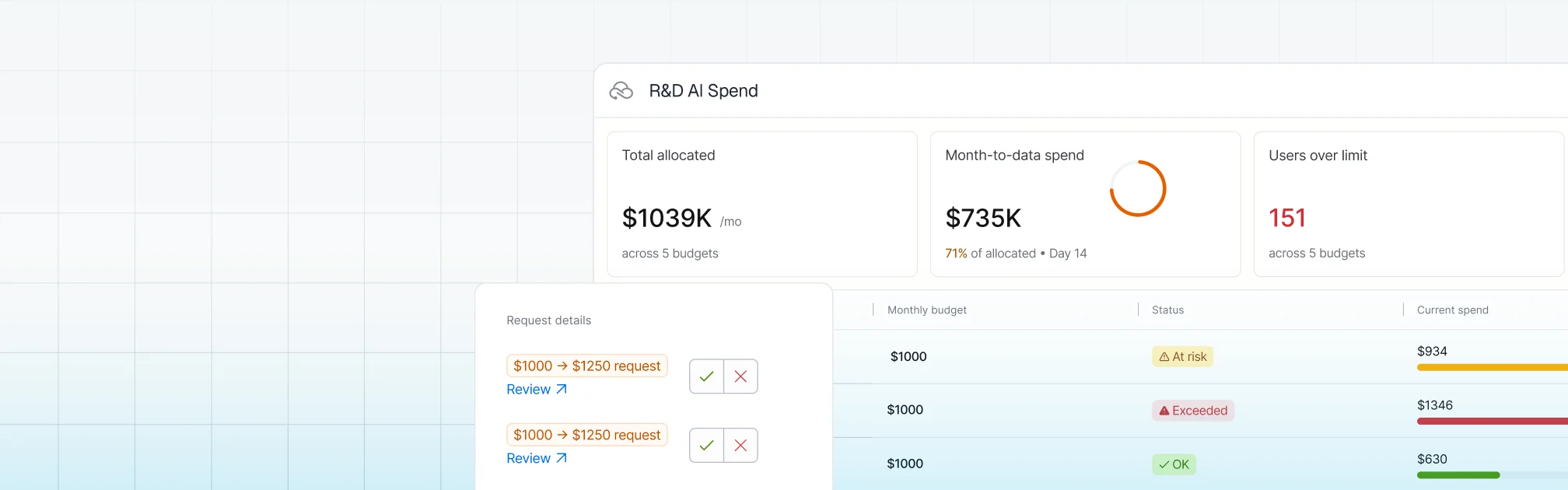
Engineering teams are generating more shippable code than ever before — and today, Harness is shipping five new capabilities designed to help teams release confidently. AI coding assistants lowered the barrier to writing software, and the volume of changes moving through delivery pipelines has grown accordingly. But the release process itself hasn't kept pace.
The evidence shows up in the data. In our 2026 State of DevOps Modernization Report, we surveyed 700 engineering teams about what AI-assisted development is actually doing to their delivery. The finding stands out: while 35% of the most active AI coding users are already releasing daily or more, those same teams have the highest rate of deployments needing remediation (22%) and the longest MTTR at 7.6 hours.
This is the velocity paradox: the faster teams can write code, the more pressure accumulates at the release, where the process hasn't changed nearly as much as the tooling that feeds it.
The AI Delivery Gap
What changed is well understood. For years, the bottleneck in software delivery was writing code. Developers couldn't produce changes fast enough to stress the release process. AI coding assistants changed that. Teams are now generating more change across more services, more frequently than before — but the tools for releasing that change are largely the same.
In the past, DevSecOps vendors built entire separate products to coordinate multi-team, multi-service releases. That made sense when CD pipelines were simpler. It doesn't make sense now. At AI speed, a separate tool means another context switch, another approval flow, and another human-in-the-loop at exactly the moment you need the system to move on its own.
The tools that help developers write code faster have created a delivery gap that only widens as adoption grows.
Today Harness is releasing five capabilities, all natively integrated into Continuous Delivery. Together, they cover the full arc of a modern release: coordinating changes across teams and services, verifying health in real time, managing schema changes alongside code, and progressively controlling feature exposure.
Release Orchestration replaces Slack threads, spreadsheets, and war-room calls that still coordinate most multi-team releases. Services and the teams supporting them move through shared orchestration logic with the same controls, gates, and sequence, so a release behaves like a system rather than a series of handoffs. And everything is seamlessly integrated with Harness Continuous Delivery, rather than in a separate tool.
AI-Powered Verification and Rollback connects to your existing observability stack, automatically identifies which signals matter for each release, and determines in real time whether a rollout should proceed, pause, or roll back. Most teams have rollback capability in theory. In practice it's an emergency procedure, not a routine one. Ancestry.com made it routine and saw a 50% reduction in overall production outages, with deployment-related incidents dropping significantly.
Database DevOps, now with Snowflake support, brings schema changes into the same pipeline as application code, so the two move together through the same controls with the same auditability. If a rollback is needed, the application and database schema can rollback together seamlessly. This matters especially for teams building AI applications on warehouse data, where schema changes are increasingly frequent and consequential.
Improved pipeline and policy support for feature flags and experimentation enables teams to deploy safely, and release progressively to the right users even though the number of releases is increasing due to AI-generated code. They can quickly measure impact on technical and business metrics, and stop or roll back when results are off track. All of this within a familiar Harness user interface they are already using for CI/CD.
Warehouse-Native Feature Management and Experimentation lets teams test features and measure business impact directly with data warehouses like Snowflake and Redshift, without ETL pipelines or shadow infrastructure. This way they can keep PII and behavioral data inside governed environments for compliance and security.
These aren't five separate features. They're one answer to one question: can we safely keep going at AI speed?
Traditional CD pipelines treat deployment as the finish line. The model Harness is building around treats it as one step in a longer sequence: application and database changes move through orchestrated pipelines together, verification checks real-time signals before a rollout continues, features are exposed progressively, and experiments measure actual business outcomes against governed data.
A release isn't complete when the pipeline finishes. It's complete when the system has confirmed the change is healthy, the exposure is intentional, and the outcome is understood.
That shift from deployment to verified outcome is what Harness customers say they need most. "AI has made it much easier to generate change, but that doesn't mean organizations are automatically better at releasing it," said Marc Pearce, Head of DevOps at Intelliflo. "Capabilities like these are exactly what teams need right now. The more you can standardize and automate that release motion, the more confidently you can scale."
The real shift here is operational. The work of coordinating a release today depends heavily on human judgment, informal communication, and organizational heroics. That worked when the volume of change was lower. As AI development accelerates, it's becoming the bottleneck.
The release process needs to become more standardized, more repeatable, and less dependent on any individual's ability to hold it together at the moment of deployment. Automation doesn't just make releases faster. It makes them more consistent, and consistency is what makes scaling safe.
For Ancestry.com, implementing Harness helped them achieve 99.9% uptime by cutting outages in half while accelerating deployment velocity threefold.
At Speedway Motors, progressive delivery and 20-second rollbacks enabled a move from biweekly releases to multiple deployments per day, with enough confidence to run five to 10 feature experiments per sprint.
AI made writing code cheap. Releasing that code safely, at scale, is still the hard part.
Harness Release Orchestration, AI-Powered Verification and Rollback, Database DevOps, Warehouse-Native Feature Management and Experimentation, and Improve Pipeline and Policy support for FME are available now. Learn more and book a demo.

On March 19th, the risks of running open execution pipelines — where what code runs in your CI/CD environment is largely uncontrolled — went from theoretical to catastrophic.
A threat actor known as TeamPCP compromised the GitHub Actions supply chain at a scale we haven't seen before (tracked as CVE-2026-33634, CVSS 9.4). They compromised Trivy, the most widely used vulnerability scanner in the cloud-native ecosystem, and turned it into a credential-harvesting tool that ran inside victims' own pipelines.
Between March 19 and March 24, 2026, organizations running affected tag-based GitHub Actions references were sending their AWS tokens, SSH keys, and Kubernetes secrets directly to the attacker. SANS Institute estimates over 10,000 CI/CD workflows were directly affected. According to multiple security research firms, the downstream exposure extends to tens of thousands of repositories and hundreds of thousands of accounts.
Five ecosystems. Five days. One stolen Personal Access Token.
This is a fundamental failure of the open execution pipeline model — where what runs in your pipeline is determined by external references to public repositories, mutable version tags, and third-party code that executes with full privileges. GitHub Actions is the most prominent implementation.
The alternative, governed execution pipelines, where what runs is controlled through policy gates, customer-owned infrastructure, scoped credentials, and immutable references, is the model we designed Harness around years ago, precisely because we saw this class of attack coming.
TeamPCP wasn't an anomaly; it was the inevitable conclusion of an eighteen-month escalation in CI/CD attack tactics.
CVE-2025-30066. Attackers compromised a PAT from an upstream dependency (reviewdog/action-setup) and force-pushed malicious code to every single version tag of tj-actions/changed-files. 23,000 repositories were exposed. The attack was later connected to a targeted campaign against Coinbase. CISA issued a formal advisory.
This proved that the industry's reliance on mutable tags (like @v2) was a serious structural vulnerability. According to Wiz, only 3.9% of repositories pin to immutable SHAs. The other 96% are trusting whoever owns the tag today.
The first self-replicating worm in the CI/CD ecosystem. Shai-Hulud 2.0 backdoored 796 npm packages representing over 20 million weekly downloads — including packages from Zapier, PostHog, and Postman.
It used TruffleHog to harvest 800+ credential types, registered compromised machines as self-hosted GitHub runners named SHA1HULUD for persistent C2 over github.com, and built a distributed token-sharing network where compromised machines could replace each other's expired credentials.
PostHog's candid post-mortem revealed that attackers stole their GitHub bot's PAT via a pull_request_target workflow exploit, then used it to steal npm publishing tokens from CI runner secrets. Their admission that this kind of attack "simply wasn't something we'd prepared for" reflects the industry-wide gap between application security and CI/CD security maturity. CISA issued another formal advisory.
TeamPCP went after the security tools themselves.
They exploited a misconfigured GitHub Actions workflow to steal a PAT from Aqua Security's aqua-bot service account. Aqua detected the breach and initiated credential rotation — but reporting suggests the rotation did not fully cut off attacker access. TeamPCP appears to have retained or regained access to Trivy's release infrastructure, enabling the March 19 attack weeks after initial detection.
On March 19, they force-pushed a malicious "Cloud Stealer" to 76 of 77 version tags in trivy-action and all 7 tags in setup-trivy. Simultaneously, they published an infected Trivy binary (v0.69.4) to GitHub Releases and Docker Hub. Every pipeline referencing those tags by name started executing the attacker's code on its next run. No visible change to the release page. No notification. No diff to review.
TeamPCP's payload was purpose-built for CI/CD runner environments:
Memory Scraping. It read /proc/*/mem to extract decrypted secrets held in RAM. GitHub's log-masking can't hide what's in process memory.
Cloud Metadata Harvesting. It queried the AWS Instance Metadata Service (IMDS) at 169.254.169.254, pivoting from "build job" to full IAM role access in the cloud.
Filesystem Sweep. It searched over 50 specific paths — .env files, .aws/credentials, .kube/config, SSH keys, GPG keys, Docker configs, database connection strings, and cryptocurrency wallet keys.
Encrypted Exfiltration. All data was bundled into tpcp.tar.gz, encrypted with AES-256 and RSA-4096, and sent to typosquatted domains like scan.aquasecurtiy[.]org (note the "tiy"). These domains returned clean verdicts from threat intelligence feeds during the attack. As a fallback, the stealer created public GitHub repos named tpcp-docs under the victim's own account.
The malicious payload executed before the legitimate Trivy scan. Pipelines appeared to work normally. CrowdStrike noted: "To an operator reviewing workflow logs, the step appears to have completed successfully."
Sysdig observed that the vendor-specific typosquat domains were a deliberate deception — an analyst reviewing CI/CD logs would see traffic to what appears to be the vendor's own domain.
It took Aqua five days to fully evict the attacker, during which TeamPCP pushed additional malicious Docker images (v0.69.5 and v0.69.6).
Why did this work so well? Because GitHub Actions is the leading example of an open execution pipeline — where what code runs in your pipeline is determined by external references that anyone can modify.
This trust problem isn't new. Jenkins had a similar issue with plugins. Third-party code ran with full process privileges. But Jenkins ran inside your firewall; exfiltrating data required getting past your network perimeter.
GitHub Actions took the same open execution approach but moved execution to cloud-hosted runners with broad internet egress, making exfiltration trivially easy. TeamPCP's Cloud Stealer just needed to make an HTTPS POST to an external domain, which runners are designed to do freely.
Here are a few reasons why open execution pipelines break at scale:
Mutable Trust. When you use @v2, you are trusting a pointer, not a piece of code. Tags can be silently redirected by anyone with write access. TeamPCP rewrote 76 tags in a single operation. 96% of the ecosystem is exposed.
Flat Privileges. Third-party Actions run with the same permissions as your code. No sandbox. No permission isolation. This is why TeamPCP targeted security scanners — tools that by design have elevated access to your pipeline infrastructure. The attacker doesn't need to break in. The workflow invites them in.
Secret Sprawl. Secrets are typically injected into the runner's environment or process memory during job execution, where they remain accessible for the job's duration. TeamPCP's /proc/*/mem scraper didn't need any special privilege. It just needed to be running on the same machine.
Unbounded Credential Cascades. There is no architectural boundary that stops a credential stolen in one context from unlocking another. TeamPCP proved this definitively: Trivy → Checkmarx → LiteLLM → AI API keys across thousands of enterprises. One PAT, five ecosystems.
Harness CI/CD pipelines are built as governed execution pipelines — where what runs is controlled through customer-owned infrastructure, policy gates, scoped credentials, immutable references, and explicit trust boundaries. At its core is the Delegate — a lightweight worker process that runs inside your infrastructure (your VPC, your Kubernetes cluster), executes tasks locally, and communicates with the Harness control plane via outbound-only connections.
When we designed this architecture, we assumed the execution plane would become the primary target in the enterprise. If TeamPCP tried to attack a Harness-powered environment, they would hit three architectural walls.
The Architecture.
The Delegate lives inside your VPC or cluster. It communicates with our SaaS control plane via outbound-only HTTPS/WSS. No inbound ports are opened.
The Defense.
You control the firewall. Allowlist app.harness.io and the specific endpoints your pipelines need, deny everything else. TeamPCP's exfiltration to typosquat domains would fail at the network layer — not because of a detection rule, but because the path doesn't exist. Both typosquat domains returned clean verdicts from threat intel feeds. Egress filtering by allowlist is more reliable than detection by reputation.
The Architecture.
Rather than bulk-injecting secrets as flat environment variables at job start, Harness can resolve secrets at runtime through your secret manager — HashiCorp Vault, AWS Secrets Manager, GCP Secret Manager, Azure Key Vault — via the Delegate, inside your network. Harness SaaS stores encrypted references and metadata, not plaintext secret values.
The Defense.
TeamPCP's Cloud Stealer worked because in an open execution pipeline, secrets are typically injected into the runner's process memory where they remain accessible for the job's duration. In a governed execution pipeline, this exposure is structurally reduced: secrets can be resolved from your controlled vault at the point they're needed, rather than broadcast as environment variables to every step in the pipeline.
An important caveat: Vault-based resolution alone doesn't eliminate runtime exfiltration. Once a secret is resolved and passed to a step that legitimately needs it — say, an npm token during npm publish — that secret exists in the step's runtime. If malicious code is executing in that same context (for example, a tampered package.json that exfiltrates credentials during npm run test), the secret is exposed regardless of where it came from. This is why the three walls work as a system: Wall 2 reduces the surface of secret exposure, Wall 1 blocks the exfiltration path, and (as we'll see) Wall 3 limits the blast radius to the scoped environment. No single wall is sufficient on its own.
To further strengthen how pipelines use secrets, leverage ephemeral credentials — AWS STS temporary tokens, Vault dynamic secrets, or GCP short-lived service account tokens — that auto-expire after a defined window, often minutes. Even if TeamPCP’s memory scraper extracted an ephemeral credential, it likely would have expired before the attacker could pivot to the next target.
The Architecture.
Harness supports environment-scoped delegates as a core architecture pattern. Your "Dev" scanner delegate runs in a different cluster, with different network boundaries and different credentials, than your "Prod" deployment delegate.
The Defense.
The credential cascade that defined TeamPCP hits a dead end. Stolen Dev credentials cannot reach Production publishing gates or AI API keys, because those credentials live in a different vault, resolved by a different delegate, in a different network segment. If the Trivy compromise only yielded credentials scoped to a dev environment, the attack stops at phase one.
Beyond the walls, governed execution pipelines provide additional structural controls:
Architecture is a foundation, not a guarantee. Governed execution pipelines are materially safer against this class of attack, but you can still create avoidable risk by running unvetted containers on delegates, skipping egress filtering, using the same delegate across dev and prod, granting overly broad cloud access, or exposing excessive secrets to jobs that don't need them, or using long-lived static credentials when ephemeral alternatives exist.
I am not claiming that Harness is safe and GitHub Actions is unsafe. That would be too simplistic.
What I am claiming is that governed execution pipelines — where what runs is controlled through policy gates, customer-owned infrastructure, scoped credentials, and immutable references — are a materially safer foundation than open execution pipelines. We designed Harness as our implementation of a governed execution pipeline. But architecture is a starting point — you still have to operate it well.
As we enter the era of Agentic AI — where AI is generating pipelines, suggesting dependencies, and submitting pull requests at machine speed — we can no longer rely on human review to catch a malicious tag in an AI-generated PR.
But there's a more fundamental shift: AI agents will become the primary actors inside CI/CD pipelines. Not just generating code — autonomously executing tasks, selecting dependencies, making deployment decisions, remediating incidents.
Now imagine an AI agent in an open execution pipeline — downloaded from a public marketplace, referenced by a mutable tag, executing with full privileges, making dynamic runtime decisions you didn't define. It has access to your secrets, your cloud credentials, and your deployment infrastructure. Unlike a static script, an agent makes decisions at runtime — fetching resources, calling APIs, modifying files.
If TeamPCP showed us what happens when a static scanner is compromised, imagine what happens when an autonomous AI agent is compromised — or simply makes a decision you didn't anticipate.
This is why governed execution pipelines aren't just a security improvement — they're an architectural prerequisite for the AI era. In a governed pipeline, even an AI agent operates within structural boundaries: it runs on infrastructure you control, accesses only scoped secrets, has restricted egress, and its actions are audited. The agent may be autonomous, but the pipeline constrains what it can reach.
The questions every engineering leader should be asking:
If you use Trivy, Checkmarx, or LiteLLM:
If you use GitHub Actions:
For the longer term:
I'm writing this as the CEO of a company that competes with GitHub in the CI/CD space. I want to be transparent about that.
But I'm also writing this as someone who has spent two decades building infrastructure software and who saw this threat model coming. When we designed Harness, the open execution pipeline model had already evolved from Jenkins plugins to GitHub Actions — each generation making it easier for third-party code to run with full privileges and, by moving execution further from the customer's network perimeter, making exfiltration easier. We deliberately chose to build governed execution pipelines instead.
The TeamPCP campaign didn't teach us anything new about the risk. What it did was make the difference between open and governed execution impossible for the rest of the industry to ignore.
Open source security tools are invaluable. The developers and companies who build them — including Aqua Security and Checkmarx — are doing essential work. The problem isn't the tools. The problem is running them inside open execution pipelines where third-party code has full privileges, secrets sit in memory, and exfiltration faces no structural barrier.
If you want to explore how the delegate architecture works in practice, we're here to show you. But more importantly, regardless of what platform you choose, please take these structural questions seriously. The next TeamPCP is already studying the credential graph.

Over the last few years, something fundamental has changed in software development.
If the early 2020s were about adopting AI coding assistants, the next phase is about what happens after those tools accelerate development. Teams are producing code faster than ever. But what I’m hearing from engineering leaders is a different question:
What’s going to break next?
That question is exactly what led us to commission our latest research, State of DevOps Modernization 2026. The results reveal a pattern that many practitioners already sense intuitively: faster code generation is exposing weaknesses across the rest of the software delivery lifecycle.
In other words, AI is multiplying development velocity, but it’s also revealing the limits of the systems we built to ship that code safely.
One of the most striking findings in the research is something we’ve started calling the AI Velocity Paradox - a term we coined in our 2025 State of Software Engineering Report.
Teams using AI coding tools most heavily are shipping code significantly faster. In fact, 45% of developers who use AI coding tools multiple times per day deploy to production daily or faster, compared to 32% of daily users and just 15% of weekly users.
At first glance, that sounds like a huge success story. Faster iteration cycles are exactly what modern software teams want.
But the data tells a more complicated story.
Among those same heavy AI users:
What this tells me is simple: AI is speeding up the front of the delivery pipeline, but the rest of the system isn’t scaling with it. It’s like we are running trains faster than the tracks they are built for. Friction builds, the ride is bumpy, and it seems we could be on the edge of disaster.

The result is friction downstream, more incidents, more manual work, and more operational stress on engineering teams.
To understand why this is happening, you have to step back and look at how most DevOps systems actually evolved.
Over the past 15 years, delivery pipelines have grown incrementally. Teams added tools to solve specific problems: CI servers, artifact repositories, security scanners, deployment automation, and feature management. Each step made sense at the time.
But the overall system was rarely designed as a coherent whole.
In many organizations today, quality gates, verification steps, and incident recovery still rely heavily on human coordination and manual work. In fact, 77% say teams often have to wait on other teams for routine delivery tasks.
That model worked when release cycles were slower.
It doesn’t work as well when AI dramatically increases the number of code changes moving through the system.
Think of it this way: If AI doubles the number of changes engineers can produce, your pipelines must either:
Otherwise, the system begins to crack under pressure. The burden often falls directly on developers to help deploy services safely, certify compliance checks, and keep rollouts continuously progressing. When failures happen, they have to jump in and remediate at whatever hour.
These manual tasks, naturally, inhibit innovation and cause developer burnout. That’s exactly what the research shows.
Across respondents, developers report spending roughly 36% of their time on repetitive manual tasks like chasing approvals, rerunning failed jobs, or copy-pasting configuration.
As delivery speed increases, the operational load increases. That burden often falls directly on developers.
The good news is that this problem isn’t mysterious. It’s a systems problem. And systems problems can be solved.
From our experience working with engineering organizations, we've identified a few principles that consistently help teams scale AI-driven development safely.
When every team builds pipelines differently, scaling delivery becomes difficult.
Standardized templates (or “golden paths”) make it easier to deploy services safely and consistently. They also dramatically reduce the cognitive load for developers.
Speed only works when feedback is fast.
Automating security, compliance, and quality checks earlier in the lifecycle ensures problems are caught before they reach production. That keeps pipelines moving without sacrificing safety.
Feature flags, automated rollbacks, and progressive rollouts allow teams to decouple deployment from release. That flexibility reduces the blast radius of new changes and makes experimentation safer.
It also allows teams to move faster without increasing production risk.
Automation alone doesn’t solve the problem. What matters is creating a feedback loop: deploy → observe → measure → iterate.
When teams can measure the real-world impact of changes, they can learn faster and improve continuously.
AI is already changing how software gets written. The next challenge is changing how software gets delivered.
Coding assistants have increased development teams' capacity to innovate. But to capture the full benefit, the delivery systems behind them must evolve as well.
The organizations that succeed in this new environment will be the ones that treat software delivery as a coherent system, not just a collection of tools.
Because the real goal isn’t just writing code faster. It’s learning faster, delivering safer, and turning engineering velocity into better outcomes for the business.
And that requires modernizing the entire pipeline, not just the part where code is written.


AI made writing code faster. It didn’t make releasing that code safer.
That’s the tension platform teams are dealing with right now. Development velocity is rising, but release operations still depend on too many manual decisions, too many disconnected tools, and too much tribal knowledge. Teams can deploy more often, but they still struggle to standardize how features are exposed, how approvals are handled, how risky changes are governed, and how old flags get cleaned up before they turn into debt.
That’s where the latest Harness FME integrations matter.
Harness Feature Management & Experimentation is no longer just a place to create flags and run tests. With recent pipeline integration and policy support, FME becomes part of a governed release system. That’s the bigger story.
Feature flags are valuable. But at scale, value comes from operationalizing them.
The software delivery gap is getting easier to see.
In a recent Harness webinar, Lena Sano, a software developer on the Harness DevRel team and I framed the problem clearly: AI accelerates code creation, but the release system behind it often still looks manual, inconsistent, and fragile.
That perspective matters because both Lena and I sit close to the problem from different angles. I brought the platform and operating-model view. Lena showed what it actually looks like when feature release becomes pipeline-driven instead of person-driven.
The tension they described is familiar to most platform teams. When more code gets produced, more change reaches production readiness. That doesn’t automatically translate into safer releases. In fact, it usually exposes the opposite. Teams start batching more into each launch, rollout practices diverge from service to service, and approvals become a coordination tax instead of a control mechanism.
That’s why release discipline matters more in the AI era, not less.
Feature flags solve an important problem: they decouple deployment from release.
That alone is a major improvement. Teams can deploy code once, expose functionality gradually, target cohorts, run experiments, and disable a feature without redeploying the whole application.
But a flag by itself is not a release process.
I made the point directly in the webinar: feature flags are “the logical end of the pipeline process.” That line gets to the heart of the issue. When flags live outside the delivery workflow, teams get flexibility but not consistency. They can turn things on and off, but they still don’t have a standardized path for approvals, staged rollout, rollback decisions, or cleanup.
That’s where many programs stall. They adopt feature flags, but not feature operations.
The result is predictable:
This is why platform teams need more than flagging. They need a repeatable system around feature release.
The recent Harness FME pipeline integration addresses exactly that gap.
In the webinar demo, Lena showed a feature release workflow where the pipeline managed status updates, targeting changes, approvals, rollout progression, experiment review, and final cleanup. I later emphasized that “95% of it was run by a single pipeline.”
That’s not just a useful demo line. It’s the operating model platform teams have been asking for.
The first value of pipeline integration is simple: teams get a common release language.
Instead of every service or squad improvising its own process, pipelines can define explicit rollout stages and expected transitions. A feature can move from beta to ramping to fully released in a consistent, visible way.
That sounds small, but it isn’t. Standardized states create transparency, reduce confusion during rollout, and make it easier for multiple teams to understand where a change actually is.
Approvals are often where release velocity goes to die.
Without pipelines, approvals happen per edit or through side channels. A release manager, product owner, or account team gets pulled in repeatedly, and the organization calls that governance.
It isn’t. It’s coordination overhead.
Harness pipelines make approvals part of the workflow itself. That means platform teams can consolidate approval logic, trigger it only when needed, and capture the decision in the same system that manages the rollout.
That matters operationally and organizationally. It reduces noise for approvers, creates auditability, and keeps release evidence close to the actual change.
One of the most useful ideas in the webinar was that rollback should depend on what actually failed.
If the problem is isolated to a feature treatment, flip the flag. If the issue lives in the deployment itself, use the pipeline rollback or redeploy path. That flexibility matters because forcing every incident through a full application rollback is both slower and more disruptive than it needs to be.
With FME integrated into pipelines, teams don’t have to choose one blunt response for every problem. They can respond with the right mechanism for the failure mode.
That’s how release systems get safer.
Most organizations talk about flag debt after they’ve already created it.
The demo tackled that problem directly by making cleanup part of the release workflow. Once the winning variant was chosen and the feature was fully released, the pipeline paused for confirmation that the flag reference had been removed from code. Then targeting was disabled and the release path was completed.
That is a much stronger model than relying on someone to remember cleanup later.
Feature flags create leverage when they’re temporary control points. They create drag when they become permanent artifacts.
Pipelines standardize motion. Policies standardize behavior.
That’s why the recent FME policy integration matters just as much as pipeline integration.
As organizations move from dozens of flags to hundreds or thousands, governance breaks down fast. Teams start hitting familiar failure modes: flags without owners, inconsistent naming, unsafe default treatments, production targeting mistakes, segments that expose sensitive information, and change requests that depend on people remembering the rules.
Policy support changes that.
Harness now brings Policy as Code into feature management so teams can enforce standards automatically instead of managing them with review boards and exceptions.
This is the core release management tradeoff most organizations get wrong.
They think the only way to increase safety is to add human checkpoints everywhere. That works for a while. Then scale arrives, and those checkpoints become the bottleneck.
Harness takes a better approach. Platform teams can define policies once using OPA and Rego, then have Harness automatically evaluate changes against those policy sets in real time.
That means developers get fast feedback without waiting for a meeting, and central teams still get enforceable guardrails.
That is what scalable governance looks like.
The strongest part of the policy launch is that it doesn’t stop at the flag object itself.
It covers the areas where release risk actually shows up:
That matters because most rollout failures aren’t caused by the existence of a flag. They’re caused by how that flag is configured, targeted, or changed.
Governance only works when it matches how organizations are structured.
Harness policy integration supports that with scope and inheritance across the account, organization, and project levels. Platform teams can set non-negotiable global guardrails where they need them, while still allowing business units or application teams to define more specific policies in the places that require flexibility.
That is how you avoid the two classic extremes: the wild west and the central committee.
Global standards stay global. Team-level nuance stays possible.
The most important point here is not that Harness added two more capabilities.
It’s that these capabilities strengthen the same release system.
Pipelines standardize the path from deployment to rollout. FME controls release exposure, experimentation, and feature-level rollback. Policy as Code adds guardrails to how teams create and change those release controls. Put together, they form a more complete operating layer for software change.
That is the Harness platform value.
A point tool can help with feature flags. Another tool can manage pipelines. A separate policy engine can enforce standards. But when those pieces are disconnected, the organization has to do the integration work itself. Process drift creeps in between systems, and teams spend more time coordinating tools than governing change.
Harness moves that coordination into the platform.
This is the same platform logic that shows up across continuous delivery and GitOps, Feature Management & Experimentation, and modern progressive delivery strategies. The more release decisions can happen in one governed system, the less organizations have to rely on handoffs, tickets, and tribal knowledge.
The webinar and the new integrations point to a clearer operating model for modern release management.
Use CD to ship the application safely. Then use FME to expose the feature by cohort, percentage, region, or treatment.
Standardize stages, approvals, status transitions, and evidence collection so every release doesn’t invent its own operating model.
Move governance into Policy as Code. Don’t ask people to remember naming standards, metadata requirements, targeting limits, or approval conditions.
Use the flag, the pipeline, or a redeploy path based on the actual failure mode. Don’t force every issue into one response pattern.
Treat cleanup as a first-class release step, not a future best intention.
This is the shift platform engineering leaders should care about. The goal isn’t to add feature flags to the stack. It’s to build a governed release system that can absorb AI-era change volume without depending on heroics.
If this model is working, the signal should show up in operational metrics.
Start with these:
These are the indicators that tell you whether release governance is scaling or just getting noisier.
AI made software creation faster, but it also exposed how weak most release systems still are.
Feature flags help. Pipelines help. Policy as code helps. But the real value shows up when those capabilities work together as one governed release model.
That’s what Harness FME now makes possible. Teams can standardize rollout paths, automate approvals where they belong, enforce policy without slowing delivery, and clean up flags before they become operational debt. That is what it means to release fearlessly on a platform, not just with a point tool.
Ready to see how Harness helps platform teams standardize feature releases with built-in governance? Contact Harness for a demo.
Pipelines automate deployment and standardize release workflows. Feature flags decouple deployment from feature exposure, which gives teams granular control over rollout, experimentation, and rollback. Together, they create a safer and more repeatable release system.
It brings feature release actions into the same workflow that manages delivery. Teams can standardize status changes, targeting, approvals, rollout progression, and cleanup instead of handling those steps manually or in separate tools.
At scale, manual governance breaks down. Policy as code lets platform teams enforce standards automatically on flags, targeting rules, segments, and change requests so safety doesn’t depend on people remembering the rules.
Teams can enforce naming conventions, ownership and tagging requirements, safer targeting defaults, environment-specific rollout rules, segment governance, and approval requirements for sensitive change requests.
It reduces risk by combining progressive rollout controls with standardized workflows and automated governance. Teams can limit blast radius, catch unsafe changes earlier, and respond with the right rollback path when issues appear.
It shows how Harness connects delivery automation, feature release control, and governance in one system. That reduces toolchain sprawl and turns release management into a platform capability rather than a collection of manual steps.
They make cleanup part of the workflow. When the rollout is complete and the winning treatment is chosen, the pipeline should require confirmation that the flag has been removed from code and no longer needs active targeting.


Releasing fearlessly isn't just about getting code into production safely. It's about knowing what happened after the release, trusting the answer, and acting on it without stitching together three more tools.
That is where many teams still break down.
They can deploy. They can gate features. They can even run experiments. But the moment they need trustworthy results, the workflow fragments. Event data moves into another system. Metric definitions drift from business logic. Product, engineering, and data teams start debating the numbers instead of deciding what to do next.
That's why Warehouse Native Experimentation matters.
Today, Harness is making Warehouse Native Experimentation generally available in Feature Management & Experimentation (FME). After proving the model in beta, this capability is now ready for broader production use by teams that want to run experiments directly where their data already lives.
This is an important launch on its own. It is also an important part of the broader Harness platform story.
Because “release fearlessly” is incomplete if experimentation still depends on exported datasets, shadow pipelines, and black-box analysis.
The AI era changed one thing fast: the volume of change.
Teams can create, modify, and ship software faster than ever. What didn't automatically improve was the system that turns change into controlled outcomes. Release coordination, verification, experimentation, and decision-making are still too often fragmented across different tools and teams.
That's the delivery gap.
In a recent Harness webinar, Lena Sano, a Software Developer on the Harness DevRel team and I showed why this matters. Their point was straightforward: deployment alone is not enough. As I said in the webinar, feature flags are “the logical end of the pipeline process.”
That framing matters because it moves experimentation out of the “nice to have later” category and into the release system itself.
When teams deploy code with Harness Continuous Delivery, expose functionality with Harness FME, and now analyze experiment outcomes with trusted warehouse data, the release moment becomes a closed loop. You don't just ship. You learn.
Warehouse Native Experimentation extends Harness FME with a model that keeps experiment analysis inside the data warehouse instead of forcing teams to export data into a separate analytics stack.
That matters for three reasons.
First, it keeps teams closer to the source of truth the business already trusts.
Second, it reduces operational drag. Teams do not need to build and maintain unnecessary movement of assignment and event data just to answer basic product questions.
Third, it makes experimentation more credible across functions. Product teams, engineers, and data stakeholders can work from the same governed data foundation instead of arguing over two competing systems.
General availability makes this model ready to support production experimentation programs that need more than speed. They need trust, repeatability, and platform-level consistency.
Traditional experimentation workflows assume that analysis can happen somewhere downstream from release. That assumption does not hold up well anymore.
When development velocity rises, so does the volume of features to evaluate. Teams need faster feedback loops, but they also need stronger confidence in the data behind the decision. If every experiment requires moving data into another system, recreating business metrics, and validating opaque calculations, the bottleneck just shifts from deployment to analysis.
That's the wrong pattern for platform teams.
Platform teams are being asked to support higher release frequency without increasing risk. They need standardized workflows, strong governance, and fewer manual handoffs. They do not need another disconnected toolchain where experimentation introduces more uncertainty than it removes.
Warehouse Native Experimentation addresses that by bringing experimentation closer to the release process and closer to trusted business data at the same time.
This launch matters because it changes how experimentation fits into the software delivery model.


Warehouse Native Experimentation lets teams run analyses directly in supported data warehouses rather than exporting experiment data into an external system first.
That is a meaningful shift.
It means your experiment logic can operate where your product events, business events, and governed data models already exist. Instead of copying data out and hoping definitions stay aligned, teams can work from the warehouse as the source of truth.
For organizations already invested in platforms like Snowflake or Amazon Redshift, this reduces friction and increases confidence. It also helps avoid the shadow-data problem that shows up when experimentation becomes one more separate analytics island.
Good experimentation depends on metric quality.
Warehouse Native Experimentation lets teams define metrics from the warehouse tables they already trust. That includes product success metrics as well as guardrail metrics that help teams catch regressions before they become larger incidents.
This is a bigger capability than it may appear.
Many experimentation programs fail not because teams lack ideas, but because they cannot agree on what success actually means. When conversion, latency, revenue, or engagement are defined differently across tools, the experiment result becomes negotiable.
Harness moves that discussion in the right direction. The metric should reflect the business reality, not the reporting limitations of a separate experimentation engine.
Speed matters. Trust matters more.
Warehouse Native Experimentation helps teams understand impact with results that are transparent and inspectable. That gives engineering, product, and data teams a better basis for action.
The practical benefit is simple: when a result looks surprising, teams can validate the logic instead of debating whether the tool is doing something hidden behind the scenes.
That transparency is a major part of the launch story. Release fear decreases when teams trust both the rollout controls and the data used to judge success.
Warehouse Native Experimentation is valuable on its own. But its full value shows up when you look at how it fits into the Harness platform.
In the webinar, Lena demonstrated a workflow where a pipeline controlled flag status, targeting, approvals, rollout progression, and even cleanup. I emphasized that “95% of it was run by a single pipeline.”
That is not just a demo detail. It is the operating model platform teams want.
Pipelines make releases consistent. They reduce team-to-team variation. They create auditability. They turn release behavior into a reusable system instead of a series of manual decisions.
Harness FME gives teams the ability to decouple deployment from release, expose features gradually, target specific cohorts, and run experiments as part of a safer delivery motion.
That is already powerful.
It lets teams avoid full application rollback when one feature underperforms. It lets them isolate problems faster. It gives product teams a structured way to learn from real usage without treating every feature launch like an all-or-nothing event.
Warehouse Native Experimentation completes that model.
Now the experiment does not end at exposure control. It continues into governed analysis using the data infrastructure the business already depends on. The result is a tighter loop from release to measurement to decision.
That is why this is a platform launch.
Harness is not asking teams to choose between delivery tooling and experimentation tooling and warehouse trust. The platform brings those motions together:
That is what “release fearlessly” looks like when it extends beyond deployment.
Engineering leaders should think about this launch as a better operating model for software change.
Release with control. Use pipelines and feature flags to separate deployment from feature exposure.
Verify with the right signals. Use guardrail metrics and rollout logic to contain risk before it spreads.
Learn from trusted data. Run experiments against the warehouse instead of recreating the truth somewhere else.
Standardize the process. Make approvals, measurement, and cleanup part of the same repeatable workflow.
This is especially important for platform teams trying to keep pace with AI-assisted development. More code generation only helps the business if the release system can safely absorb more change and turn it into measurable outcomes.
Warehouse Native Experimentation helps make that possible.
This feature will be especially relevant for teams that:
As software teams push more change through the system, trusted experimentation can no longer sit off to the side. It has to be part of the release model itself.
Harness now gives teams a stronger path to do exactly that: deploy safely, release progressively, and measure impact where trusted data already lives. That is not just better experimentation. It is a better software delivery system.
Ready to see how Harness helps teams release fearlessly with trusted, warehouse-native experimentation? Contact Harness for a demo.
Warehouse Native Experimentation is a capability in Harness FME that lets teams analyze experiment outcomes directly in their data warehouse. That keeps experimentation closer to governed business data and reduces the need to export data into separate analysis systems.
GA signals that the capability is ready for broader production adoption. For platform and product teams, that means Warehouse Native Experimentation can become part of a standardized release and experimentation workflow rather than a limited beta program.
Traditional approaches often require moving event data into a separate system for analysis. Warehouse-native experimentation keeps analysis where the data already lives, which improves trust, reduces operational overhead, and helps align experiment metrics with business definitions.
Safer releases are not only about deployment controls. They also require trusted feedback after release. Warehouse Native Experimentation helps teams learn from production changes using governed warehouse data, making release decisions more confident and more repeatable.
Harness pipelines help standardize the release workflow, while Harness FME controls rollout and experimentation. Warehouse Native Experimentation adds trusted measurement to that same motion, closing the loop from deployment to exposure to decision.
Organizations with mature data warehouses, strong governance requirements, and a need to scale experimentation across teams will benefit most. It is especially relevant for platform teams that want experimentation to be part of a consistent software delivery model.


A financial services company ships code to production 47 times per day across 200+ microservices. Their secret isn't running fewer tests; it's running the right tests at the right time.
Modern regression testing must evolve beyond brittle test suites that break with every change. It requires intelligent test selection, process parallelization, flaky test detection, and governance that scales with your services.
Harness Continuous Integration brings these capabilities together: using machine learning to detect deployment anomalies and automatically roll back failures before they impact customers. This framework covers definitions, automation patterns, and scale strategies that turn regression testing into an operational advantage. Ready to deliver faster without fear?
Managing updates across hundreds of services makes regression testing a daily reality, not just a testing concept. Regression testing in CI/CD ensures that new code changes don’t break existing functionality as teams ship faster and more frequently. In modern microservices environments, intelligent regression testing is the difference between confident daily releases and constant production risk.
These terms often get used interchangeably, but they serve different purposes in your pipeline. Understanding the distinction helps you avoid both redundant test runs and dangerous coverage gaps.
In practice, you run them sequentially: retest the fix first, then run regression suites scoped to the affected services. For microservices environments with hundreds of interdependent services, this sequencing prevents cascade failures without creating deployment bottlenecks.
The challenge is deciding which regression tests to run. A small change to one service might affect three downstream dependencies, or even thirty. This is where governance rules help. You can set policies that automatically trigger retests on pull requests and broader regression suites at pre-production gates, scoping coverage based on change impact analysis rather than gut feel.
To summarize, Regression testing checks that existing functionality still works after a change. Retesting verifies that a specific bug fix works as intended. Both are essential, but they serve different purposes in CI/CD pipelines.
The regression testing process works best when it matches your delivery cadence and risk tolerance. Smart timing prevents bottlenecks while catching regressions before they reach users.
This layered approach balances speed with safety. Developers get immediate feedback while production deployments include comprehensive verification. Next, we'll explore why this structured approach becomes even more critical in microservices environments where a single change can cascade across dozens of services.
Modern enterprises managing hundreds of microservices face three critical challenges: changes that cascade across dependent systems, regulatory requirements demanding complete audit trails, and operational pressure to maintain uptime while accelerating delivery.
A single API change can break dozens of downstream services you didn't know depended on it.
Financial services, healthcare, and government sectors require documented proof that tests were executed and passed for every promotion.
Catching regressions before deployment saves exponentially more than fixing them during peak traffic.
With the stakes clear, the next question is which techniques to apply.
Once you've established where regression testing fits in your pipeline, the next question is which techniques to apply. Modern CI/CD demands regression testing that balances thoroughness with velocity. The most effective techniques fall into three categories: selective execution, integration safety, and production validation.
Once you've established where regression testing fits in your pipeline, the next question is which techniques to apply. Modern CI/CD demands regression testing that balances thoroughness with velocity. The most effective techniques fall into three categories: selective execution, integration safety, and production validation—with a few pragmatic variants you’ll use day-to-day.
These approaches work because they target specific failure modes. Smart selection outperforms broad coverage when you need both reliability and rapid feedback.
Managing regression testing across 200+ microservices doesn't require days of bespoke pipeline creation. Harness Continuous Integration provides the building blocks to transform testing from a coordination nightmare into an intelligent safety net that scales with your architecture.
Step 1: Generate pipelines with context-aware AI. Start by letting Harness AI build your pipelines based on industry best practices and the standards within your organization. The approach is interactive, and you can refine the pipelines with Harness as your guide. Ensure that the standard scanners are run.
Step 2: Codify golden paths with reusable templates. Create Harness pipeline templates that define when and how regression tests execute across your service ecosystem. These become standardized workflows embedding testing best practices while giving developers guided autonomy. When security policies change, update a single template and watch it propagate to all pipelines automatically.
Step 3: Enforce governance with Policy as Code. Use OPA policies in Harness to enforce minimum coverage thresholds and required approvals before production promotions. This ensures every service meets your regression standards without manual oversight.
With automation in place, the next step is avoiding the pitfalls that derail even well-designed pipelines.
Regression testing breaks down when flaky tests erode trust and slow suites block every pull request. These best practices focus on governance, speed optimization, and data stability.
Regression testing in CI/CD enables fast, confident delivery when it’s selective, automated, and governed by policy. Regression testing transforms from a release bottleneck into an automated protection layer when you apply the right strategies. Selective test prioritization, automated regression gates, and policy-backed governance create confidence without sacrificing speed.
The future belongs to organizations that make regression testing intelligent and seamless. When regression testing becomes part of your deployment workflow rather than an afterthought, shipping daily across hundreds of services becomes the norm.
Ready to see how context-aware AI, OPA policies, and automated test intelligence can accelerate your releases while maintaining enterprise governance? Explore Harness Continuous Integration and discover how leading teams turn regression testing into their competitive advantage.
These practical answers address timing, strategy, and operational decisions platform engineers encounter when implementing regression testing at scale.
Run targeted regression subsets on every pull request for fast feedback. Execute broader suites on the main branch merges with parallelization. Schedule comprehensive regression testing before production deployments, then use core end-to-end tests as synthetic testing during canary rollouts to catch issues under live traffic.
Retesting validates a specific bug fix — did the payment timeout issue get resolved? Regression testing ensures that the fix doesn’t break related functionality like order processing or inventory updates. Run retests first, then targeted regression suites scoped to affected services.
There's no universal number. Coverage requirements depend on risk tolerance, service criticality, and regulatory context. Focus on covering critical user paths and high-risk integration points rather than chasing percentage targets. Use policy-as-code to enforce minimum thresholds where compliance requires it, and supplement test coverage with AI-powered deployment verification to catch regressions that test suites miss.
No. Full regression on every commit creates bottlenecks. Use change-based test selection to run only tests affected by code modifications. Reserve comprehensive suites for nightly runs or pre-release gates. This approach maintains confidence while preserving velocity across your enterprise delivery pipelines.
Quarantine flaky tests immediately, rather than letting them block pipelines. Tag unstable tests, move them to separate jobs, and set clear SLAs for fixes. Use failure strategies like retry logic and conditional execution to handle intermittent issues while maintaining deployment flow.
Treat test code with the same rigor as application code. That means version control, code reviews, and regular cleanup of obsolete tests. Use policy-as-code to enforce coverage thresholds across teams, and leverage pipeline templates to standardize how regression suites execute across your service portfolio.
.jpg)
.jpg)
Eight years ago, we shipped Continuous Verification (CV) to solve one of the most miserable parts of a great engineer’s job: babysitting deployments.
The idea was simple but powerful. At 3:00 AM, your best engineers shouldn't be staring at dashboards waiting to see if a release went sideways. CV was designed to think like those engineers, watching your APM metrics, scanning your logs, and making the call for you. Roll forward or roll back, automatically, based on what the data actually said.
It worked. Customers loved it. Hundreds of teams stopped losing sleep over deployments.
But somewhere along the way, we noticed a new problem creeping in: setting up CV had become its own burden.
To get value from Continuous Verification, you had to know what to look for. Which metrics matter for this service? Which log patterns indicate trouble? Which thresholds separate a blip from a real incident?
When we talk to teams trying to use Argo Rollouts and set up automatic verification with its analysis templates, we hear that they hit the same challenges.
For teams with deep observability expertise, this was fine. For everyone else—and honestly, for experienced teams onboarding new services—it added friction that shouldn't exist. We’d solved the hardest part of deployments, but we’d left engineers with a new "homework assignment" just to get started.
That’s what AI Verification & Rollback is designed to fix.
AI Verification & Rollback builds directly on the CV foundation you already trust, but adds a layer of intelligence before the analysis even begins. Instead of requiring you to define your metrics and log queries upfront, the system queries your observability provider—via MCP server—at the moment of deployment to determine what actually matters for the service you just deployed.
What that means in practice:
At our user conference six months ago, we showed this running live—triggering a real deployment, watching the MCP server query Dynatrace for relevant signals, and walking through a live failure analysis that caught a bad release within minutes. The response was immediate. Engineers got it instantly, because it matched how they already think about post-deploy monitoring.
We’ve spent the past six months hardening what we showed you. A few highlights:
We're not declaring CV legacy today. AI Verification & Rollback is not yet a full replacement for traditional Continuous Verification across all use cases and customer configurations. CV remains the right choice for many teams, and we're committed to supporting it.
Bottom line: AI V&R is ready for many teams to use. It's available now, and for teams setting up verification for the first time—or looking to reduce the operational overhead of maintaining verification configs—it's the faster, smarter path forward.
The takeaway here is simple: If you've been putting off setting up Continuous Verification because of the configuration overhead, this is the version you were waiting for.
Ready to stop babysitting your releases? Drop the AI V&R step into your next pipeline and see what it finds.
How is your team currently handling the "3:00 AM dashboard stare"—and how much time would you save if the pipeline just told you why it rolled back?


AI has officially made writing code cheap.
Your developers are shipping more changes, across more microservices, more frequently than ever before. If you’re a developer, it feels like a golden age.
But for the Release Engineer? This isn't necessarily a celebration; it’s a scaling nightmare.
We’re currently seeing what I call the "AI delivery gap." It’s that uncomfortable space between the breakneck speed at which we can now generate code and the manual, spreadsheet-driven processes we still use to actually release it.
The reality is that while individual CI/CD pipelines might be automated, the coordination between them remains a stubbornly human bottleneck. We’ve automated the "how" of shipping code, but we’re still stuck in the Dark Ages when it comes to the "when" and "with whom."
Today, we are introducing Harness Release Orchestration alongside four other capabilities that ensure confident releases. Release Orchestration is designed to transform the release management process from a fragmented, manual effort into a standardized, visible, and scalable operation.

Most release engineers I talk to spend about 40% of their time "chasing humans for status." You’re checking Slack threads for sign-offs, updating Confluence pages, and obsessively watching spreadsheets to ensure Team A’s service doesn't break Team B’s dependency. (And let’s be honest, it usually does anyway.)
We could call it a team sport, but it’s really a multi-team sport. Teams from multiple services and functions need to come together to deliver a big release.
If we rely on a person to coordinate, we can’t move fast enough.
Harness Release Orchestration moves beyond the single pipeline. It introduces a process-based framework that acts as your release "blueprint."
Release management software isn’t an entirely new idea. It’s been tried before, but never widely adopted. The industry went wrong by building separate tools for continuous delivery and release orchestration.
With separate tools, you incur integration overhead, have multiple places to look, and experience awkwardness.
We’ve built ours alongside our CD experience, so everything is as seamless and fast as possible. Yes, this is for releases that are more complex than a simple microservice, which the app team delivers on their own. No, that doesn’t mean introducing big processes and standalone tools.
Here’s the “gotcha”: the biggest barrier to adopting a new release tool is the hassle of migrating. You likely have years of proven workflows documented in SharePoint/Confluence, in early-release management tools like XL Release, or in the fading memory of that one person who isn't allowed to retire.
Harness AI now handles the heavy lifting. Our AI Process Ingestion can instantly generate a comprehensive release process from a simple natural-language prompt, existing documentation, or export from a tool.
What used to take months of manual configuration now takes seconds. Simply put, we’re removing the friction of modernization.
For the Release Engineer, the goal is leverage. You shouldn't need to perform heroics every Friday night to ensure a successful release. (Though if you enjoy the adrenaline of a 2:00 AM war room, I suppose I can’t stop you.)
Harness Release Orchestration creates a standardized release motion that scales with AI-driven output. It allows you to move from being a "release waiter" to a "release architect."
AI made writing code cheap. Harness makes releasing it safe, scalable, and sustainable.


Engineering teams are generating more shippable code than ever before — and today, Harness is shipping five new capabilities designed to help teams release confidently. AI coding assistants lowered the barrier to writing software, and the volume of changes moving through delivery pipelines has grown accordingly. But the release process itself hasn't kept pace.
The evidence shows up in the data. In our 2026 State of DevOps Modernization Report, we surveyed 700 engineering teams about what AI-assisted development is actually doing to their delivery. The finding stands out: while 35% of the most active AI coding users are already releasing daily or more, those same teams have the highest rate of deployments needing remediation (22%) and the longest MTTR at 7.6 hours.
This is the velocity paradox: the faster teams can write code, the more pressure accumulates at the release, where the process hasn't changed nearly as much as the tooling that feeds it.
The AI Delivery Gap
What changed is well understood. For years, the bottleneck in software delivery was writing code. Developers couldn't produce changes fast enough to stress the release process. AI coding assistants changed that. Teams are now generating more change across more services, more frequently than before — but the tools for releasing that change are largely the same.
In the past, DevSecOps vendors built entire separate products to coordinate multi-team, multi-service releases. That made sense when CD pipelines were simpler. It doesn't make sense now. At AI speed, a separate tool means another context switch, another approval flow, and another human-in-the-loop at exactly the moment you need the system to move on its own.
The tools that help developers write code faster have created a delivery gap that only widens as adoption grows.
Today Harness is releasing five capabilities, all natively integrated into Continuous Delivery. Together, they cover the full arc of a modern release: coordinating changes across teams and services, verifying health in real time, managing schema changes alongside code, and progressively controlling feature exposure.
Release Orchestration replaces Slack threads, spreadsheets, and war-room calls that still coordinate most multi-team releases. Services and the teams supporting them move through shared orchestration logic with the same controls, gates, and sequence, so a release behaves like a system rather than a series of handoffs. And everything is seamlessly integrated with Harness Continuous Delivery, rather than in a separate tool.
AI-Powered Verification and Rollback connects to your existing observability stack, automatically identifies which signals matter for each release, and determines in real time whether a rollout should proceed, pause, or roll back. Most teams have rollback capability in theory. In practice it's an emergency procedure, not a routine one. Ancestry.com made it routine and saw a 50% reduction in overall production outages, with deployment-related incidents dropping significantly.
Database DevOps, now with Snowflake support, brings schema changes into the same pipeline as application code, so the two move together through the same controls with the same auditability. If a rollback is needed, the application and database schema can rollback together seamlessly. This matters especially for teams building AI applications on warehouse data, where schema changes are increasingly frequent and consequential.
Improved pipeline and policy support for feature flags and experimentation enables teams to deploy safely, and release progressively to the right users even though the number of releases is increasing due to AI-generated code. They can quickly measure impact on technical and business metrics, and stop or roll back when results are off track. All of this within a familiar Harness user interface they are already using for CI/CD.
Warehouse-Native Feature Management and Experimentation lets teams test features and measure business impact directly with data warehouses like Snowflake and Redshift, without ETL pipelines or shadow infrastructure. This way they can keep PII and behavioral data inside governed environments for compliance and security.
These aren't five separate features. They're one answer to one question: can we safely keep going at AI speed?
Traditional CD pipelines treat deployment as the finish line. The model Harness is building around treats it as one step in a longer sequence: application and database changes move through orchestrated pipelines together, verification checks real-time signals before a rollout continues, features are exposed progressively, and experiments measure actual business outcomes against governed data.
A release isn't complete when the pipeline finishes. It's complete when the system has confirmed the change is healthy, the exposure is intentional, and the outcome is understood.
That shift from deployment to verified outcome is what Harness customers say they need most. "AI has made it much easier to generate change, but that doesn't mean organizations are automatically better at releasing it," said Marc Pearce, Head of DevOps at Intelliflo. "Capabilities like these are exactly what teams need right now. The more you can standardize and automate that release motion, the more confidently you can scale."
The real shift here is operational. The work of coordinating a release today depends heavily on human judgment, informal communication, and organizational heroics. That worked when the volume of change was lower. As AI development accelerates, it's becoming the bottleneck.
The release process needs to become more standardized, more repeatable, and less dependent on any individual's ability to hold it together at the moment of deployment. Automation doesn't just make releases faster. It makes them more consistent, and consistency is what makes scaling safe.
For Ancestry.com, implementing Harness helped them achieve 99.9% uptime by cutting outages in half while accelerating deployment velocity threefold.
At Speedway Motors, progressive delivery and 20-second rollbacks enabled a move from biweekly releases to multiple deployments per day, with enough confidence to run five to 10 feature experiments per sprint.
AI made writing code cheap. Releasing that code safely, at scale, is still the hard part.
Harness Release Orchestration, AI-Powered Verification and Rollback, Database DevOps, Warehouse-Native Feature Management and Experimentation, and Improve Pipeline and Policy support for FME are available now. Learn more and book a demo.


Here's a scenario that probably sounds familiar: a developer needs a sandbox environment to test something. They file a ticket. Then they wait. And wait. Maybe a day goes by, maybe three. Meanwhile, your platform team is buried in provisioning requests, and somewhere, someone has already spun up an unsanctioned workaround that bypasses every governance policy you've put in place.
It's a lose-lose. Developers lose velocity, platform teams lose their sanity, and security gaps quietly multiply.
An Internal Developer Portal flips this whole dynamic. Instead of ticket queues and manual provisioning, you get a self-service sandbox environment automation with guardrails baked in. Developers get instant access to governed, policy-driven environments. Platform engineers get visibility and control — without becoming a bottleneck.
In this post, we'll walk through how to build sandbox automation that actually works, set governance that holds up at scale, accelerate developer onboarding, and measure ROI in a way that makes leadership pay attention.
Harness Internal Developer Portal brings enterprise-grade orchestration together with developer-friendly self-service — built on the Backstage framework with the security, scalability, and governance that enterprises actually need.
Let's be real: if your developers are waiting days for a test environment while your security team is blocking deployments they can't validate, something is broken. Teams end up either skipping testing altogether or delaying releases — neither of which is a good outcome. A solid sandbox environment strategy breaks this cycle by giving teams secure, isolated spaces to validate changes without compromising governance or speed.
The best way to think about sandboxes? Treat them as disposable. Each sandbox environment gets the minimum privileges needed for the task at hand — whether that's validating a database migration, testing a third-party API integration, or experimenting with a new service configuration.
If something breaks, you just delete the sandbox environment and start fresh. No incident reports. No painful rollback procedures. No 2 a.m. pages to the on-call engineer. Teams that adopt this pattern tend to catch configuration errors much earlier in the development cycle.
Think of sandbox environments as your first line of defense. When you're dealing with untrusted code, unfamiliar dependencies, or configuration changes you're not 100% sure about, run them in an isolated sandbox first. Validate the behavior, confirm it's clean, and only then promote the changes to staging or production.
This pattern is incredibly effective at catching supply chain issues, configuration drift, and integration failures before they ever touch your shared systems. It shifts security left in a way that's practical, not just aspirational.
Not every test needs a full production replica. A smart sandbox environment strategy uses a tiered approach: lightweight developer sandboxes for day-to-day feature work, partial-copy environments for integration testing with realistic (but masked) data, and full-copy sandboxes reserved for final validation before release.
Add in ephemeral PR environments that spin up automatically when a pull request is opened and tear themselves down after a set time window, and you've got realistic testing without persistent infrastructure costs or manual provisioning overhead.
When sandbox environment requests take days instead of minutes, you're not just slowing down development — you're creating a governance problem that only gets worse as you scale. Automating provisioning through your IDP eliminates this friction while keeping the controls you need.
Here's what that looks like in practice:
This approach transforms your IDP from a service catalog into a genuine self-service platform — one that scales governance instead of bypassing it.
Not all sandbox environments are created equal. Picking the wrong type wastes resources and creates either security gaps or unnecessary developer friction. Knowing which type fits each workflow helps platform teams design self-service templates that match what developers actually need.
Developer sandboxes prioritize speed and productivity. Security detonation environments prioritize total isolation, even at the cost of convenience. Most teams will use a mix across their workflows.
Here's something that frustrates every engineering leader: a new hire joins your team, and it takes them three days just to get a working development environment. That's three days of lost productivity, plus a terrible first impression of your engineering culture.
With an Internal Developer Portal, you can bundle everything a new developer needs — sandbox environment provisioning, documentation, credentials, and golden path templates — into a single catalog request. Day one, they click a button, and they're up and running. No more Slack threads asking "where's my environment?"
Use Scorecards — a native feature in Harness IDP — to track the metrics that actually matter: time-to-first-PR-environment, sandbox environment mean time to recovery, and reuse rates. When self-service becomes the default, ticket provisioning drops dramatically.
Scaling sandbox environments across your organization doesn't mean you need to double your platform team or accept governance trade-offs. Harness IDP extends the Backstage framework with the enterprise capabilities that self-managed Backstage doesn't offer out of the box — fine-grained RBAC, hierarchical organization, native Scorecards tied to your KPIs, access to the 200+ Backstage plugin ecosystem, and environment management that scales with your teams.
Ready to ship governed, self-service sandbox environments that actually reduce toil? Try Harness Internal Developer Portal and see how fast your teams move when the friction disappears.
These are the questions that come up most often when platform leaders are planning sandbox environment rollouts or making the case to leadership.
Sandbox environments create isolated failure boundaries where you can test risky changes, third-party integrations, and security patches without touching shared systems. Teams validate behavior in production-like conditions, catching issues before they reach staging or production — which means fewer incidents and faster recovery when things do go wrong.
Focus on time-to-first-environment for new developers, sandbox environment utilization rates, and ticket reduction percentages. Also track cost per sandbox hour and cleanup effectiveness. Developer satisfaction scores and time saved on provisioning requests are the numbers that help you demonstrate platform ROI to leadership and justify continued investment.
The biggest culprit is sandbox environments that get spun up and never torn down. Set TTL-based auto-teardown policies so environments self-destruct after a defined window — a few hours for ephemeral PR environments, a couple of weeks for longer-lived developer sandboxes. Pair that with resource quotas enforced through policy-as-code, and you've got cost controls that don't depend on anyone remembering to clean up after themselves.
Yes, and this is where a platform approach really pays off. Instead of building separate provisioning workflows for each cloud provider, golden path templates in your IDP abstract the infrastructure layer. Developers request a sandbox environment from a single catalog — whether it lands on AWS, Azure, GCP, or an on-prem cluster is handled by the template logic and your team's policies. Harness IDP supports multi-cloud and multi-region deployments natively, so you're not stitching together one-off scripts for each environment.


On March 19th, the risks of running open execution pipelines — where what code runs in your CI/CD environment is largely uncontrolled — went from theoretical to catastrophic.
A threat actor known as TeamPCP compromised the GitHub Actions supply chain at a scale we haven't seen before (tracked as CVE-2026-33634, CVSS 9.4). They compromised Trivy, the most widely used vulnerability scanner in the cloud-native ecosystem, and turned it into a credential-harvesting tool that ran inside victims' own pipelines.
Between March 19 and March 24, 2026, organizations running affected tag-based GitHub Actions references were sending their AWS tokens, SSH keys, and Kubernetes secrets directly to the attacker. SANS Institute estimates over 10,000 CI/CD workflows were directly affected. According to multiple security research firms, the downstream exposure extends to tens of thousands of repositories and hundreds of thousands of accounts.
Five ecosystems. Five days. One stolen Personal Access Token.
This is a fundamental failure of the open execution pipeline model — where what runs in your pipeline is determined by external references to public repositories, mutable version tags, and third-party code that executes with full privileges. GitHub Actions is the most prominent implementation.
The alternative, governed execution pipelines, where what runs is controlled through policy gates, customer-owned infrastructure, scoped credentials, and immutable references, is the model we designed Harness around years ago, precisely because we saw this class of attack coming.
TeamPCP wasn't an anomaly; it was the inevitable conclusion of an eighteen-month escalation in CI/CD attack tactics.
CVE-2025-30066. Attackers compromised a PAT from an upstream dependency (reviewdog/action-setup) and force-pushed malicious code to every single version tag of tj-actions/changed-files. 23,000 repositories were exposed. The attack was later connected to a targeted campaign against Coinbase. CISA issued a formal advisory.
This proved that the industry's reliance on mutable tags (like @v2) was a serious structural vulnerability. According to Wiz, only 3.9% of repositories pin to immutable SHAs. The other 96% are trusting whoever owns the tag today.
The first self-replicating worm in the CI/CD ecosystem. Shai-Hulud 2.0 backdoored 796 npm packages representing over 20 million weekly downloads — including packages from Zapier, PostHog, and Postman.
It used TruffleHog to harvest 800+ credential types, registered compromised machines as self-hosted GitHub runners named SHA1HULUD for persistent C2 over github.com, and built a distributed token-sharing network where compromised machines could replace each other's expired credentials.
PostHog's candid post-mortem revealed that attackers stole their GitHub bot's PAT via a pull_request_target workflow exploit, then used it to steal npm publishing tokens from CI runner secrets. Their admission that this kind of attack "simply wasn't something we'd prepared for" reflects the industry-wide gap between application security and CI/CD security maturity. CISA issued another formal advisory.
TeamPCP went after the security tools themselves.
They exploited a misconfigured GitHub Actions workflow to steal a PAT from Aqua Security's aqua-bot service account. Aqua detected the breach and initiated credential rotation — but reporting suggests the rotation did not fully cut off attacker access. TeamPCP appears to have retained or regained access to Trivy's release infrastructure, enabling the March 19 attack weeks after initial detection.
On March 19, they force-pushed a malicious "Cloud Stealer" to 76 of 77 version tags in trivy-action and all 7 tags in setup-trivy. Simultaneously, they published an infected Trivy binary (v0.69.4) to GitHub Releases and Docker Hub. Every pipeline referencing those tags by name started executing the attacker's code on its next run. No visible change to the release page. No notification. No diff to review.
TeamPCP's payload was purpose-built for CI/CD runner environments:
Memory Scraping. It read /proc/*/mem to extract decrypted secrets held in RAM. GitHub's log-masking can't hide what's in process memory.
Cloud Metadata Harvesting. It queried the AWS Instance Metadata Service (IMDS) at 169.254.169.254, pivoting from "build job" to full IAM role access in the cloud.
Filesystem Sweep. It searched over 50 specific paths — .env files, .aws/credentials, .kube/config, SSH keys, GPG keys, Docker configs, database connection strings, and cryptocurrency wallet keys.
Encrypted Exfiltration. All data was bundled into tpcp.tar.gz, encrypted with AES-256 and RSA-4096, and sent to typosquatted domains like scan.aquasecurtiy[.]org (note the "tiy"). These domains returned clean verdicts from threat intelligence feeds during the attack. As a fallback, the stealer created public GitHub repos named tpcp-docs under the victim's own account.
The malicious payload executed before the legitimate Trivy scan. Pipelines appeared to work normally. CrowdStrike noted: "To an operator reviewing workflow logs, the step appears to have completed successfully."
Sysdig observed that the vendor-specific typosquat domains were a deliberate deception — an analyst reviewing CI/CD logs would see traffic to what appears to be the vendor's own domain.
It took Aqua five days to fully evict the attacker, during which TeamPCP pushed additional malicious Docker images (v0.69.5 and v0.69.6).
Why did this work so well? Because GitHub Actions is the leading example of an open execution pipeline — where what code runs in your pipeline is determined by external references that anyone can modify.
This trust problem isn't new. Jenkins had a similar issue with plugins. Third-party code ran with full process privileges. But Jenkins ran inside your firewall; exfiltrating data required getting past your network perimeter.
GitHub Actions took the same open execution approach but moved execution to cloud-hosted runners with broad internet egress, making exfiltration trivially easy. TeamPCP's Cloud Stealer just needed to make an HTTPS POST to an external domain, which runners are designed to do freely.
Here are a few reasons why open execution pipelines break at scale:
Mutable Trust. When you use @v2, you are trusting a pointer, not a piece of code. Tags can be silently redirected by anyone with write access. TeamPCP rewrote 76 tags in a single operation. 96% of the ecosystem is exposed.
Flat Privileges. Third-party Actions run with the same permissions as your code. No sandbox. No permission isolation. This is why TeamPCP targeted security scanners — tools that by design have elevated access to your pipeline infrastructure. The attacker doesn't need to break in. The workflow invites them in.
Secret Sprawl. Secrets are typically injected into the runner's environment or process memory during job execution, where they remain accessible for the job's duration. TeamPCP's /proc/*/mem scraper didn't need any special privilege. It just needed to be running on the same machine.
Unbounded Credential Cascades. There is no architectural boundary that stops a credential stolen in one context from unlocking another. TeamPCP proved this definitively: Trivy → Checkmarx → LiteLLM → AI API keys across thousands of enterprises. One PAT, five ecosystems.
Harness CI/CD pipelines are built as governed execution pipelines — where what runs is controlled through customer-owned infrastructure, policy gates, scoped credentials, immutable references, and explicit trust boundaries. At its core is the Delegate — a lightweight worker process that runs inside your infrastructure (your VPC, your Kubernetes cluster), executes tasks locally, and communicates with the Harness control plane via outbound-only connections.
When we designed this architecture, we assumed the execution plane would become the primary target in the enterprise. If TeamPCP tried to attack a Harness-powered environment, they would hit three architectural walls.
The Architecture.
The Delegate lives inside your VPC or cluster. It communicates with our SaaS control plane via outbound-only HTTPS/WSS. No inbound ports are opened.
The Defense.
You control the firewall. Allowlist app.harness.io and the specific endpoints your pipelines need, deny everything else. TeamPCP's exfiltration to typosquat domains would fail at the network layer — not because of a detection rule, but because the path doesn't exist. Both typosquat domains returned clean verdicts from threat intel feeds. Egress filtering by allowlist is more reliable than detection by reputation.
The Architecture.
Rather than bulk-injecting secrets as flat environment variables at job start, Harness can resolve secrets at runtime through your secret manager — HashiCorp Vault, AWS Secrets Manager, GCP Secret Manager, Azure Key Vault — via the Delegate, inside your network. Harness SaaS stores encrypted references and metadata, not plaintext secret values.
The Defense.
TeamPCP's Cloud Stealer worked because in an open execution pipeline, secrets are typically injected into the runner's process memory where they remain accessible for the job's duration. In a governed execution pipeline, this exposure is structurally reduced: secrets can be resolved from your controlled vault at the point they're needed, rather than broadcast as environment variables to every step in the pipeline.
An important caveat: Vault-based resolution alone doesn't eliminate runtime exfiltration. Once a secret is resolved and passed to a step that legitimately needs it — say, an npm token during npm publish — that secret exists in the step's runtime. If malicious code is executing in that same context (for example, a tampered package.json that exfiltrates credentials during npm run test), the secret is exposed regardless of where it came from. This is why the three walls work as a system: Wall 2 reduces the surface of secret exposure, Wall 1 blocks the exfiltration path, and (as we'll see) Wall 3 limits the blast radius to the scoped environment. No single wall is sufficient on its own.
To further strengthen how pipelines use secrets, leverage ephemeral credentials — AWS STS temporary tokens, Vault dynamic secrets, or GCP short-lived service account tokens — that auto-expire after a defined window, often minutes. Even if TeamPCP’s memory scraper extracted an ephemeral credential, it likely would have expired before the attacker could pivot to the next target.
The Architecture.
Harness supports environment-scoped delegates as a core architecture pattern. Your "Dev" scanner delegate runs in a different cluster, with different network boundaries and different credentials, than your "Prod" deployment delegate.
The Defense.
The credential cascade that defined TeamPCP hits a dead end. Stolen Dev credentials cannot reach Production publishing gates or AI API keys, because those credentials live in a different vault, resolved by a different delegate, in a different network segment. If the Trivy compromise only yielded credentials scoped to a dev environment, the attack stops at phase one.
Beyond the walls, governed execution pipelines provide additional structural controls:
Architecture is a foundation, not a guarantee. Governed execution pipelines are materially safer against this class of attack, but you can still create avoidable risk by running unvetted containers on delegates, skipping egress filtering, using the same delegate across dev and prod, granting overly broad cloud access, or exposing excessive secrets to jobs that don't need them, or using long-lived static credentials when ephemeral alternatives exist.
I am not claiming that Harness is safe and GitHub Actions is unsafe. That would be too simplistic.
What I am claiming is that governed execution pipelines — where what runs is controlled through policy gates, customer-owned infrastructure, scoped credentials, and immutable references — are a materially safer foundation than open execution pipelines. We designed Harness as our implementation of a governed execution pipeline. But architecture is a starting point — you still have to operate it well.
As we enter the era of Agentic AI — where AI is generating pipelines, suggesting dependencies, and submitting pull requests at machine speed — we can no longer rely on human review to catch a malicious tag in an AI-generated PR.
But there's a more fundamental shift: AI agents will become the primary actors inside CI/CD pipelines. Not just generating code — autonomously executing tasks, selecting dependencies, making deployment decisions, remediating incidents.
Now imagine an AI agent in an open execution pipeline — downloaded from a public marketplace, referenced by a mutable tag, executing with full privileges, making dynamic runtime decisions you didn't define. It has access to your secrets, your cloud credentials, and your deployment infrastructure. Unlike a static script, an agent makes decisions at runtime — fetching resources, calling APIs, modifying files.
If TeamPCP showed us what happens when a static scanner is compromised, imagine what happens when an autonomous AI agent is compromised — or simply makes a decision you didn't anticipate.
This is why governed execution pipelines aren't just a security improvement — they're an architectural prerequisite for the AI era. In a governed pipeline, even an AI agent operates within structural boundaries: it runs on infrastructure you control, accesses only scoped secrets, has restricted egress, and its actions are audited. The agent may be autonomous, but the pipeline constrains what it can reach.
The questions every engineering leader should be asking:
If you use Trivy, Checkmarx, or LiteLLM:
If you use GitHub Actions:
For the longer term:
I'm writing this as the CEO of a company that competes with GitHub in the CI/CD space. I want to be transparent about that.
But I'm also writing this as someone who has spent two decades building infrastructure software and who saw this threat model coming. When we designed Harness, the open execution pipeline model had already evolved from Jenkins plugins to GitHub Actions — each generation making it easier for third-party code to run with full privileges and, by moving execution further from the customer's network perimeter, making exfiltration easier. We deliberately chose to build governed execution pipelines instead.
The TeamPCP campaign didn't teach us anything new about the risk. What it did was make the difference between open and governed execution impossible for the rest of the industry to ignore.
Open source security tools are invaluable. The developers and companies who build them — including Aqua Security and Checkmarx — are doing essential work. The problem isn't the tools. The problem is running them inside open execution pipelines where third-party code has full privileges, secrets sit in memory, and exfiltration faces no structural barrier.
If you want to explore how the delegate architecture works in practice, we're here to show you. But more importantly, regardless of what platform you choose, please take these structural questions seriously. The next TeamPCP is already studying the credential graph.


Taking a look back over the last ten years in enterprise technology, paradigm shifts are occurring more frequently. For example, the maturity of DevOps/Platform Engineering and Cloud Native infrastructure has occurred. The new frontier depending where you are in adoption is AI. As your adoption and maturity curve progress, operationalizing these paradigms become important. Many sophisticated firms that have to manage and even innovate paradigms that are possibly not core to their business model look to Product Portfolio Management aka PPM to manage the business aspect of the paradigm.
A core pillar to PPM is resource management or the management of skillsets across the portfolio. We looked inwards to our own Professional Service team and ran a Job Task Analysis aka JTA to analyze how Harness itself built a portfolio of implementation experts.
For organizations/firms looking not only to scale Harness but potentially other platforms or paradigms, can use the Harness Implementation Job Task Analysis as one framework to use and apply to your specific need.
In 2026, it is exciting to say that DevOps is mature. Most in industry agree today to the pillars and practices of what DevOps has been trying to achieve are normal for most engineering orgs. If you turn the clock back 15 years ago, DevOps was still very much emerging as a paradigm. The trio of people, process, and technology followed as the movement became more mature.
In an early episode of ShipTalk, we talked to Nidhi Allipuram, who at the time was leading a DevOps Org at a large insurance company. In the episode we talked about how she went from 0-1 in scaling a DevOps idea to building a DevOps Org. Like any technology adoption with a new or fast moving paradigm (think of AI today), there are business considerations that typically follow the maturity curve. The process she followed was incremental starting to gather internal expertise then having to answer “is this problem even worth solving”. From there once momentum is made, scale will follow.
The episode was great timing, for myself I was becoming a new first-time manager here at Harness and Harness itself was turning into a multi-module platform. I was really curious about how she load-balanced skills on her team to continue to expand into an evolving paradigm. Her advice was solid that you do have to balance the team to grow complementary skillsets and be able to keep up with their internal customer demand. This is exactly what resource management in a PPM based discipline/org would strive for. The Job Task Analysis that was just concluded can be used in resource management when looking to scale the program/portfolio.
Looking at the Implementation Job Task Analysis and how Harness itself scales our Professional Services Practice, there is a needed mixture of both hard and soft skills. The hard skills are vertical skills in the tooling/platforms/ecosystem that Harness participates in. Second and just as important are the soft skills around problem solving and requirements gathering / stakeholder management. The hard skills would answer the “how” and “where” type of questions. The soft skills will answer just as importantly the “why” and “what” type of questions. As Harness is a platform of outcomes, solving for both hard and soft skills is important.
Extrapolating this to building a portfolio or program in evolving or even mature technology domains, the soft skills bolster the initial organic question “is this problem even worth solving”. In technology there is rarely a singular big-bang type of innovation occurrence. A good amount of innovation happens incrementally and with a solid team/consensus driven approach. Getting consensus can also be a challenge and a typical approach is requirements/stakeholder management gathering inputs from many points-of-view and blending them for trade-offs.
Distilling down the findings in the Implementation Job Task Analysis, for highly technical resources stakeholder / requirements management can be challenging as there is a lot of grey area. For example in the Site Reliability Engineering aka SRE world, defining your SLIs/SLOs is one set of challenges but having to get consensus to renegotiate them is a different order of problem. As we look towards AI, the fundamentals do not go away.
AI is certainly a rapidly evolving paradigm that is rapidly changing how we use technology. In a recent Cloud Native Podcast where the topic was Generative AI in Platform Engineering. AI, especially how it is used in Platform Engineering, is still early in the adoption curve. In 2026, The Linux Foundation will have its first AI centric conference with AGNTCon + MCPCon which is telling that maturity will eventually arrive. With items that are either early or late maturity, fundamentals do not go away.
On the Cloud Native Podcast, there was a conversation around how Kubernetes was during the first KubeCon in 2015 and how AGNTCon + MCPCon is a telling similar signal in 2026. The panel in the podcast reflected on their own K8s journey and early questions around innovation vs control/operationalization came up when looking towards AI; similar concerns when looking at K8s early on.
Crucial to navigating the radio dials of innovation vs control is again the fundamentals of soft skills getting stakeholder or internal customer alignment which is by incremental consensus. In the Implementation Job Task Analysis, the people who are agents of change in software delivery need to blend both their hard and soft skills on a daily basis. These very people are available to help further your innovation goals with top notch software delivery via the Harness Platform.
As you start to embrace new paradigms and the Harness Platform, we are here to help. Harness has been at the forefront of the Cloud Native and now AI-Centric software delivery worlds. Our platform continues to evolve to meet these new and similar challenges in the technology adoption curve. Harness Professional Services are the people helping your organization making these new paradigms become reality. Feel free to take a look at our Services Offerings which includes consulting/coaching to training. We are excited to share how we scale our own internal skills to help our customers/partners/and public continue on to better the software delivery craft.


In today's always-on digital economy, a single slow page or unexpected crash during peak traffic can cost businesses thousands or even millions of dollars in lost revenue, damaged reputation, and frustrated customers. Imagine Black Friday shoppers abandoning carts because your e-commerce site buckles under load, or a SaaS platform going down during a major product launch. This is where load testing becomes non-negotiable.
Load testing simulates real-world user traffic to ensure your applications, websites, and APIs stay fast, stable, and scalable. It's a cornerstone of performance testing that helps teams catch bottlenecks early, validate SLAs, and build resilient systems.
If you're searching for a complete load testing guide, what is load testing, or how to perform load testing, you're in the right place. This beginner-friendly introduction covers everything from the basics to best practices, with practical steps anyone can follow.
Load testing is a type of performance testing that evaluates how your system behaves under expected (and sometimes peak) user loads. It simulates concurrent users, requests, or transactions to measure key metrics such as Response times (average, p95, p99), Throughput (requests per second), Error rates, Resource utilization (CPU, memory, database connections), Latency and scalability.
Unlike unit or functional tests that check "does it work?", load testing answers: "How does it perform when 1,000 (or 100,000) people use it at once?"
Done early and often, load testing reduces risk across the lifecycle. It confirms capacity assumptions, reveals infrastructure limits, and proves that recent changes haven’t slowed critical paths. The result is fewer production incidents and fewer late-night fire drills.
Key terminology to anchor your approach:
Effective load testing quantifies capacity, validates autoscaling, and uncovers issues like thread pool starvation, database contention, cache thrash, and third-party limits. With data in hand, you can tune connection pools, garbage collection, caching tiers, and CDN strategies so the app stays fast when it counts.
Skipping load testing is like launching a rocket without wind-tunnel tests, risky and expensive. Here's why it's essential:
Investing in load testing upfront keeps teams focused on building, not firefighting. Many major outages (think major retailers or banking apps) trace back to untested load scenarios. Load testing helps you ship with confidence.
No single test answers every question. Combine these to get a complete picture:
Load testing isn’t just about throwing traffic at your system, it’s about understanding how your application behaves under real-world conditions and uncovering hidden bottlenecks before your users do.
Here's a step-by-step guide to do load testing:
Load testing is an iterative process, not a one-time activity. The more consistently you test and refine, the more resilient and reliable your system becomes over time.
Not all traffic patterns are the same, and your system shouldn’t be tested with a one-size-fits-all approach. Different load testing scenarios help you understand how your application behaves under various real-world conditions, from everyday usage to extreme, unpredictable events.
Moving into 2026 and beyond, AI is shifting load testing from a manual, scheduled chore into an intelligent, autonomous process. Instead of relying on static scripts, AI agents now ingest vast streams of real-world data including recent incident reports, deployment logs, and even design changes documented in wikis to generate context-sensitive testing scenarios. This ensures that performance suites are no longer generic; they are hyper-targeted to the specific risks introduced by the latest code commits or environmental shifts, allowing teams to catch bottlenecks before they ever reach production.
The relationship between testing and infrastructure has also become a two-way street. Beyond just identifying breaking points, AI-driven analysis of load test results now provides proactive recommendations for deployment configurations. By correlating performance metrics with resource allocation, these systems can suggest the "golden path" for auto-scaling thresholds, memory limits, and container orchestration. This creates a continuous feedback loop where the load test doesn't just pass or fail it actively optimizes the production environment for peak efficiency.
In the new landscape of AI agents proliferation, load testing is no longer just about hitting a server with traffic it's about managing the explosion of agentic orchestration. With organizations deploying hundreds of specialized AI agents, a single user request can trigger a "storm" of inter-agent communication, where one agent's output becomes another's prompt. Traditional load tests fail here because they can't predict these emergent behaviors or the cascading latency that occurs when multiple agents reason, call external APIs, and update shared memory simultaneously. Testing must now account for "prompt bloat" and context contamination, where excessive or conflicting data fed into these agent chains causes performance to degrade or costs to spike unexpectedly.
To survive this complexity, performance engineering in 2026 has shifted toward dynamic environment testing and automated "prompt volume" estimation. Load testers are now using tools like AI Gateways to monitor and rate-limit the massive volume of prompts moving between agents, ensuring that "reasoning loops" don't turn into infinite, resource-draining cycles. By simulating thousands of parallel agent trajectories in virtual sandboxes, teams can identify the specific point where a flurry of prompts causes an LLM's context window to "clash," leading to the 30–40% drops in accuracy often seen under heavy organizational load.
When selecting a load testing tool, teams often start with open-source options for flexibility and cost, then move to enterprise or cloud-managed solutions for scale, collaboration, and integrations.
Here are some of the most popular and widely used load testing tools in 2026:
Choose based on scripting language, scale needs, and integration. For teams already invested in Locust or seeking to combine load testing with chaos engineering in CI/CD pipelines, platforms like Harness Resilience Testing provide seamless native support to elevate your testing strategy.
As systems grow more distributed and user expectations continue to rise, load testing in 2026 is no longer optional, it’s a continuous discipline. Following the right best practices ensures that your application is not just fast, but also resilient and reliable under real-world conditions.
Adopting these best practices helps you move beyond basic performance testing toward building truly resilient systems. In 2026, it’s not just about handling traffic, it’s about thriving under pressure.
Load testing turns unknowns into knowns and panic into process. It isn't a "nice-to-have", it's essential for delivering fast, reliable digital experiences that customers (and your bottom line) demand.
By following this guide, you'll identify issues early, optimize performance, and build systems that scale confidently.
Ship faster, break less, and stay resilient.


You're tagging Docker images with build numbers.
-Build #47 is your latest production release on main. A developer pushes a hotfix to release-v2.1, that run becomes build #48.
-Another merges to develop, build #49. A week later someone asks: "What build number are we on for production?" You check the registry.
-You see #47, #52, #58, #61 on main. The numbers in between? Scattered across feature branches that may never ship. Your build numbers have stopped telling a useful story.
That's the reality when your CI platform uses a single global counter. Every run, on every branch, increments the same number. For teams using GitFlow, trunk-based development, or any branching strategy, that means gaps, confusion, and versioning that doesn't match how you actually ship.
TL;DR: Harness CI now supports branch-scoped build sequence IDs via <+pipeline.branchSeqId>.
Each branch gets its own counter. No gaps. No confusion.
Most CI platforms give you one incrementing counter per pipeline. Push to main, push to develop, push to a feature branch, same counter. So you get:

This is now built directly into Harness CI as a first-class capability.
Add <+pipeline.branchSeqId> where you need the number—for example, in a Docker build-and-push step:
tags:
- <+pipeline.branchSeqId>
- <+codebase.branch>-<+pipeline.branchSeqId>
- latest
Trigger runs on main, then on develop, then on a feature branch. Each branch gets its own sequence: main might be 1, 2, 3… develop 1, 2, 3… feature/x 1, 2. Your tags become meaningful: main-42, develop-15, feature-auth-3. No more guessing which number belongs to which branch.
<+pipeline.branchSeqId>. Check out Harness variables documentation.Webhook triggers (push, PR, branch, release) and manual runs (with branch from codebase config) are supported. For tag-only or other runs without branch context, the expression returns null so you can handle that in your pipeline if needed.

Branch and repo are taken from the trigger payload when possible (webhooks) or from the pipeline's codebase configuration (for example, manual runs). We normalize them so that the same repo and branch always map to the same logical key: branch names get refs/heads/ (or similar) stripped, and repo URLs are reduced to a canonical form (for example, github.com/org/repo). That way, whether you use https://..., git@..., or different casing, you get one counter per branch.
The counter is stored and updated with an atomic increment. Parallel runs on the same branch still get distinct, sequential numbers. The value is attached to the run's metadata and exposed through the pipeline execution context so <+pipeline.branchSeqId> resolves correctly at runtime.
<+pipeline.branchSeqId> and optionally <+codebase.branch>-<+pipeline.branchSeqId> for clear, branch-specific tags.<+pipeline.branchSeqId> --app-version <+codebase.commitSha> so the chart version tracks the build number and the app version tracks the commit.<+pipeline.branchSeqId>" so production and staging each have a clear, branch-local build number.For teams that need control or migration support, branch sequences are also manageable via API:
# List all branch sequences for a pipeline
GET /pipelines/{pipelineIdentifier}/branch-sequences
# Reset counter for a specific branch
DELETE /pipelines/{pipelineIdentifier}/branch-sequences/branch?branch=main&repoUrl=github.com/org/repo
# Set counter to a specific value (e.g., after major release)
PUT /pipelines/{pipelineIdentifier}/branch-sequences/set?branch=main&repoUrl=github.com/org/repo&sequenceId=100All of this is gated by the same feature flag so only accounts that have adopted the feature use the APIs.
CI_ENABLE_BRANCH_SEQUENCE_ID (Account Settings → Feature Flags, or Reach out to the Harness team).<+pipeline.branchSeqId> in steps, tags, or env vars.If branch context isn't available, the expression returns null. Design your pipeline to handle that (for example, skip tagging or use a fallback) for tag builds or edge cases.
Feature availability may vary by plan. Check with your Harness account or Harness Developer Hub for your setup.
This isn't just a Harness problem we solved—it's an industry gap. Here's how major CI platforms compare:
Most platforms treat build numbers as an afterthought. Harness CI treats them as a first-class versioning primitive. For teams migrating from Jenkins or Azure DevOps, the model will feel familiar. For teams on GitHub Actions, GitLab, or CircleCI, this fills a gap that previously required external services or custom scripts
This is the first release of branch-scoped sequence IDs. The foundations are in place: per-branch counters, expression support, and APIs. We're not done.
We're listening. If you use this feature and hit rough edges—or have ideas for tag-scoped sequences, dashboard visibility, or trigger conditions—we want to hear about it. Share feedback .


For the past few years, the narrative around Artificial Intelligence has been dominated by what I like to call the "magic box" illusion. We assumed that deploying AI simply meant passing a user’s question through an API key to a Large Language Model (LLM) and waiting for a brilliant answer.
Today, we are building systems that can reason, access private databases, utilize tools, and—hopefully—correct their own mistakes. However, the reality is that while AI code generation tools are helping us write more code than ever , we are actually getting worse at shipping it. Google's DORA research found that delivery throughput is decreasing by 1.5% and stability is worsening by 7.5%. Deploying AI is no longer a machine learning experiment; it’s one of the most complex system integration challenges in modern software engineering.
That's why integrated CI/CD is no longer optional for AI deployment—it's the foundation. As teams adopt platforms like Harness Continuous Integration and Harness Continuous Delivery, testing and release orchestration shift from isolated checkpoints to continuous safeguards that protect quality and safety at every layer of the AI stack.
Most definitions of AI deployment are stuck in the "model era." They describe deployment as taking a trained model, wrapping it in an API, and integrating it into a single application to make predictions.
That description is technically accurate—but strategically wrong.
In 2026, AI deployment means:
Integrating a full AI application stack—models, prompts, data pipelines, RAG components, agents, tools, and guardrails—into your production environment so it can safely power real user workflows and business decisions.
You're not just deploying "a model." You are deploying the instructions that define the AI's behavior, the engines (LLMs and other models) that do the reasoning, the data and embeddings that feed those engines context, the RAG and orchestration code that glue everything together, the agents and tools that let AI take actions in your systems, and the guardrails and policies that keep it all safe, compliant, and affordable.
Classic "model deployment" was a single component behind a predictable API. Modern AI deployment is end‑to‑end, cross‑cutting, and deeply entangled with your existing software delivery process.
If you want a great reference for the more traditional view, IBM's overview of model deployment is a good baseline. But in this article, we're going to go beyond that to talk about the compound system you are actually shipping today.
The paradox of this moment is simple: coding has sped up, but delivery has slowed down.
AI coding assistants take mere seconds to generate the scaffolding. Platform teams spin up infrastructure on demand. Product leaders are under pressure to add "AI" to every experience. But in many organizations, the actual path from "we built it" to "it's safely in front of customers" is getting more fragile—instead of less.
There are a few reasons for this:
The result is what many teams are feeling right now: shipping AI features feels risky, brittle, and slow, even as the pressure to "move faster" keeps rising.
To fix that, we have to start with the stack itself.
To understand how to deploy AI, you have to stop treating it as a single entity. The modern AI application is a compound system of highly distinct, interdependent layers. If any single component in this stack fails or drifts, the entire application degrades.
A prompt is no longer just a text string typed into a chat window; it is the source code that dictates the behavior and persona of your application.
The LLM is the reasoning engine. It has vast general knowledge but zero awareness of your company’s proprietary data.
An AI's output is only as reliable as the context it is given. To make an LLM useful, it needs a continuous feed of your company’s internal data.
RAG is not a model; it is a separate software architecture deployed to act as the LLM's research assistant.
If RAG is a researcher, an AI Agent is an employee. Agents are LLMs given access to external tools. Instead of just answering a question, an agent can formulate a plan, search the web, and execute code.
You cannot expose a raw LLM or an autonomous agent to the public, or even to internal employees, without armor. Because AI is non-deterministic, traditional software security falls short. Modern AI deployment requires distinct "Guardrails as Code".
These kinds of controls are a natural fit for policy‑as‑code engines and CI/CD gates. With something like Harness Continuous Delivery & GitOps, you can enforce Open Policy Agent (OPA) rules at deployment time—ensuring that applications with missing or misconfigured input guardrails simply never make it to production.
Understanding the stack reveals the ultimate challenge: The Cascade Effect. In traditional software, a database error throws a clean error code. In an AI application, a bug in the data pipeline silently ruins everything downstream. This is why deployment cannot be disjointed. It requires rigorous Release Orchestration.
For years, we've been obsessed with specialized silos: MLOps, LLMOps, AgentOps. But a vital realization is sweeping the enterprise: the time of siloed, specialized AI operations tools is coming to an end.
The future belongs to unified release management. The organizations that succeed will not be the ones with the smartest standalone AI models, but the ones who master the orchestration required to deploy and evolve those models, alongside everything else they ship, safely, efficiently, and continuously.
If you want a platform that brings semantic testing, progressive rollouts, and coordinated AI releases into your day-to-day workflows, Harness Continuous Integration and Harness Continuous Delivery were built for this.
What is AI deployment?
AI deployment is the process of integrating AI systems, models, prompts, data pipelines, RAG architectures, agents, tools, and guardrails, into production environments so they can safely power real applications and business workflows.
How is AI deployment different from traditional model deployment?
Traditional model deployment focuses on serving a single model behind an API. Modern AI deployment involves a multi‑layer stack: instructions, engines, context, retrieval, agents, and policies. Failures are more likely to be silent regressions or unsafe behaviors than obvious crashes, which is why you need semantic testing, guardrails, and release orchestration.
How do you deploy AI safely in production?
Safe AI deployment starts with treating prompts and configurations as code, embedding guardrails at input, output, and action levels, and using semantic evaluation and progressive rollout strategies. It also requires immutable logging and audit trails so you can trace decisions back to specific versions of your AI stack. Combining CI for semantic tests with CD for orchestrated releases is the practical path to safety.
What tools are used for AI deployment?
Teams typically use a mix of LLM providers or model‑serving platforms, vector databases, observability tools, and CI/CD systems for orchestrating releases. On top of that, they add policy engines and specialized evaluation frameworks. The critical shift is moving from isolated "AI tools" to integrated pipelines that tie everything together.
How do canary releases work for AI models and prompts?
With canary releases, you send a small portion of traffic to the new behavior, a new model, prompt, or RAG strategy, while most users continue on the old path. You observe semantic quality, safety signals, and performance. If the canary behaves well, you gradually increase its share. If it misbehaves, you automatically roll back to the previous version.


On March 24, 2026, the AI open-source ecosystem was impacted by a critical supply chain attack involving the widely used Python package LiteLLM. Attackers compromised the LiteLLM PyPI distribution pipeline and published malicious versions (notably in the 1.82.7-1.82.8 range), embedding a multi-stage payload designed to steal credentials and execute remote code.
The malicious code executed during normal library usage, making it particularly dangerous for AI applications that integrate LiteLLM into inference pipelines, RAG systems, and API gateways. The attack leveraged Python’s .pth file mechanism, a lesser-known but powerful feature that allows arbitrary code execution during interpreter initialization. The malicious package dropped a file (e.g., litellm_init.pth) into the Python environment, ensuring that the payload was executed every time the Python interpreter started, regardless of whether LiteLLM was explicitly imported.
However, this was not a simple static backdoor. The package implemented a multi-stage execution chain, where initial execution triggered outbound communication to attacker-controlled infrastructure to retrieve further instructions dynamically.
Notably, the malware leveraged blockchain-based command-and-control (C2) and extracting payload locations from transaction metadata. This allowed attackers to update payload delivery dynamically without modifying the package itself, making detection and takedown significantly harder.
The attack also performed a cross-language execution pivot, downloading a Node.js runtime onto the host system and executing an obfuscated second-stage JavaScript payload. This technique enabled evasion of Python-focused security controls and introduced runtime behavior that would not typically be expected during dependency execution.
Once triggered, the payload attempted to exfiltrate sensitive environment variables and secrets, including API keys for major LLM providers (OpenAI, Anthropic), cloud credentials, and internal tokens.
A critical aspect of this attack is the abuse of Python’s .pth file mechanism, an often overlooked feature that can be weaponized for persistent, pre-execution code injection.
.pth files are automatically processed during Python interpreter startup via the site module. They are typically located in site-packages or user site directories and are intended to extend Python’s module search path.
However, .pth files support more than just path configuration. If a line starts with an import, it is executed immediately:
Example: Simple Demo of Hidden Code Execution
DIY: Find your site-packages path
python3 -c "import site; print(site.getsitepackages())"
# Or
python3 -c "import site; print(site.getusersitepackages())"
# Choose the one with write access and
# write a demo1.pth file to that site packages dir
echo 'import sys; print("[PTH DEMO EXECUTED]")' > /path/to/site-packages/demo1.pthOr
Automated script to create the demo .pth file
git clone https://github.com/aspen-labs/python_pth_autoexecution.git
cd python_pth_autoexecution
python3 demo_pth.pyNow, every time Python runs,
> python3 -c "print('Hello')"
[PTH DEMO EXECUTED]
HelloImpact:
This attack highlights a new class of supply chain risk centered around AI infrastructure dependencies. Unlike traditional package compromises, the blast radius extends into model access, prompt data, and downstream AI workflows. It reinforces the need for continuous dependency monitoring, real-time SBOM visibility, and strict policy enforcement to prevent compromised packages from entering build and runtime environments.
Harness SCS helps you quickly detect and contain compromised dependencies like the LiteLLM package before they impact your pipelines. With real-time visibility into your SBOMs and dependency graph, you can identify affected versions, trace their usage across builds and environments, and block them using OPA policies. This ensures malicious packages never propagate through your CI/CD or AI workflows.
Harness SCS enables instant search across all repositories and artifacts to quickly identify if compromised LiteLLM versions exist in your environment. The moment such a malicious package is disclosed, you can pinpoint its presence and assess impact across your entire supply chain in seconds.

Harness AI streamlines response to incidents like the LiteLLM compromise through simple natural-language prompts. With a single prompt, you can generate OPA policies to block affected LiteLLM versions across all pipelines, preventing malicious packages from entering builds or deployments. As new compromised versions emerge, these policies can be quickly updated to maintain strong preventive controls across your SDLC. SCS customers can use this OPA policy to detect and block the affected versions
Harness SCS automatically detects compromised LiteLLM versions across both production and non-production environments. Teams can track remediation, assign fixes, and monitor progress through to deployment, ensuring exposed credentials and vulnerable dependencies are addressed quickly. This end-to-end visibility helps contain the impact and prevents compromised packages from persisting in your supply chain.

The LiteLLM compromise highlights how quickly a malicious package can expose high-value secrets when embedded deep within AI application stacks. Given its role in handling LLM requests, the impact extends beyond code to API keys, prompt data, and downstream systems, often bypassing traditional security checks.
Defending against such attacks requires more than reactive fixes. Teams need real-time visibility into dependencies, the ability to enforce policies to block compromised versions, and continuous tracking to ensure remediation is complete across all environments. Harness SCS enables teams to quickly identify where affected LiteLLM versions are used, prevent them from entering new builds, and ensure fixes are consistently rolled out.
With these controls in place, organizations can limit credential exposure, contain threats early, and secure their AI supply chain against attacks like the LiteLLM compromise.
Also, learn how Harness SCS defends against Shai-Hulud, TJ Actions, NPM 1.0, xz-utils supply chain attacks.
.png)
.png)
---
Key Takeaway: Harness AI helped deflect 95% of the platform support tickets for a major financial institution
---
These days, success is often measured by what doesn’t happen:
When things go right, the software delivery platform is invisible. But what happens when an organization’s delivery velocity increases multifold? Can the platform still stay out of the way?
For one of the world’s largest financial institutions, the answer was a resounding "yes" but only after they solved the Velocity Paradox.
By standardizing their deployment pipelines on Harness, this organization’s engineering teams hit their stride. Deployments became predictable. Manual toil went away. Teams were shipping more code, faster, with fewer headaches.
But as throughput increased, the complexity of the SDLC's outer loop also increased. More pipelines meant more execution states to interpret; more automation meant more configuration nuance.
That’s when the tickets started coming in. The increase in tickets was not a symptom of failure; it was a success tax. The platform team found itself acting as a human search engine, gathering logs, reviewing configuration state, and translating technical findings into actionable guidance for every request. The work was necessary, but it was fundamentally reactive.
Rather than simply expanding headcount to keep pace with this increasing workload, the organization made a deliberate shift in its operating model. They didn't treat AI as an experiment. AI adoption was formalized within team OKRs and became an explicit objective from executive leadership. Harness AI was selected as the primary engine to meet that goal. The directive to the engineering organization was simple:
“Ask Harness AI first.”
Developers were encouraged to treat Harness AI as their first line of inquiry.
The Engine Behind the Answer: Knowledge Graph
What makes Harness AI more than just a chatbot is what powers it underneath, a Knowledge Graph purpose-built for software delivery.
Unlike a generic large language model that reasons from broad training data alone, Harness AI is grounded in a living, interconnected map of your delivery environment. The Knowledge Graph continuously indexes and relates the entities that matter most in your SDLC: pipelines, services, environments, deployments, configurations, governance policies, and execution histories, and critically, the relationships between them.
When someone asks Harness AI a question, it traverses the optimal Knowledge Graph to understand the full context: what changed recently, which policy rule was triggered, how this pipeline relates to other services, and what similar failures looked like in the past, etc. This graph-powered reasoning is what enables answers that are specific, actionable, and contextually accurate and not generic.
Three things came up over and over in how developers used it:
For this financial institution’s engineering teams, this meant that every question asked of Harness AI was answered with awareness of their unique environment, their governance rules, and their delivery history. The AI wasn’t guessing. It knew.
The behavioral shift was both gradual and massive. Over the following months, the majority of internal support tickets were deflected. Engineers resolved a significant portion of troubleshooting questions independently, within their workflow, without waiting for platform team intervention.
Over the months that followed, tens of thousands of support tickets just didn’t happen. Engineers figured things out on their own, in the moment, without filing anything or waiting for a response.
The result was a radical rebalancing of capacity. Instead of being a help desk, the platform team redirected its efforts toward designing and building forward-looking architecture.
Innovation Without the Friction
Scaling a platform isn’t just a technical problem. It’s an operational one. You can modernize your entire SDLC and still end up drowning in tickets if the support model doesn’t scale with it.
Here's what makes Harness AI different from every other AI tool your team has probably tried: Harness sits inside your SDLC. Not bolted on from the outside, not reading a summary of what happened. It’s actually inside it. That means it picks up on context that no generic AI agent ever could. Your pipelines, your policies, your deployment history, your governance rules, how your services relate to each other, your infrastructure, and a lot more. All of it. And it uses that context to build a customized Knowledge Graph for your organization.
That's what makes Harness AI feel like part of your team rather than just another tool you have to babysit.
Harness AI uses context from the software delivery environment, including pipelines, services, environments, policies, configurations, and execution history, to generate more relevant answers.
A generic chatbot mainly relies on broad model training data. Harness AI is grounded in an organization-specific delivery context, which helps it explain failures and suggest next steps based on how the environment is actually configured.
A Knowledge Graph helps connect related entities across the SDLC, such as pipelines, services, environments, and policy rules. That structure makes it easier to retrieve relevant context for troubleshooting and operational guidance.
Yes. When developers can get contextual answers inside their workflow, many troubleshooting and policy questions can be resolved without filing support tickets.
Need more info? Contact Sales